



Kevil Darji

Kevil Darji

Design decisions that preserved $530k in revenue and moved $42M in monthly volume.

Product designer and React developer, based in Bengaluru. I focus on craft, consistency, and systems. Currently UX Designer II at Beverage Trade Network logoBeverage Trade Network.

Previously React Developer and UX Consultant at Krosspost.ai logoKrosspost.ai, where I built the crossposting core and shipped a design system across the team.

Before that, I designed the catalog and checkout for Housie logoHousie, a building-materials shopping app.

Work

Krosspost

Krosspost.ai

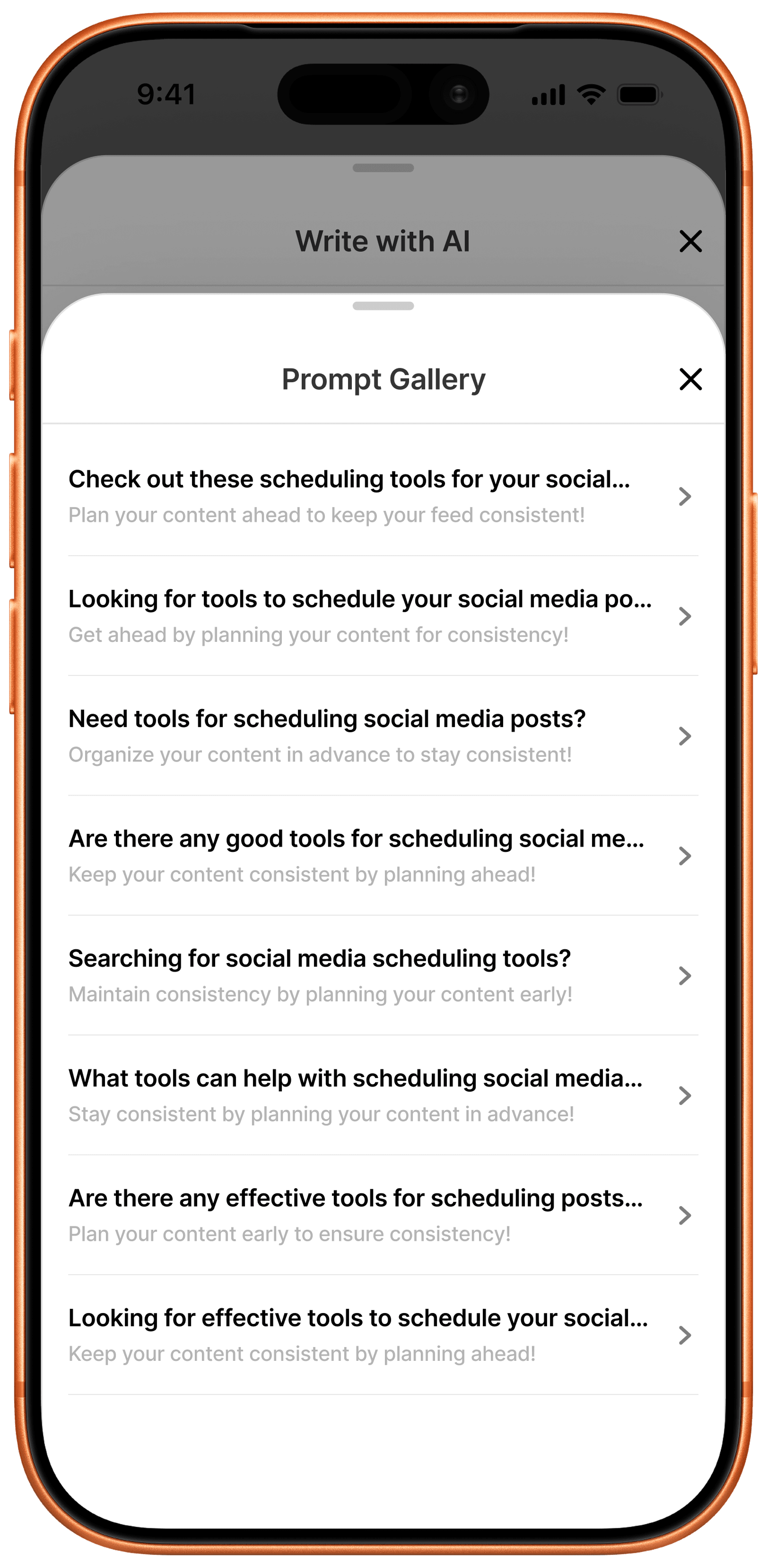
Designed the crossposting core of Krosspost: one caption rewritten by AI across up to 7 platforms, a 50+ prompt gallery sitting next to a blank AI chat so a caption starts from a template or a first line instead of a blank page, and a per-platform publish grid so one failed post never hides the rest that succeeded. Product wanted one shared status banner for the whole batch; I pushed for the per-platform grid instead, since a single "posted" banner hiding six failures would train people to stop trusting the send button.
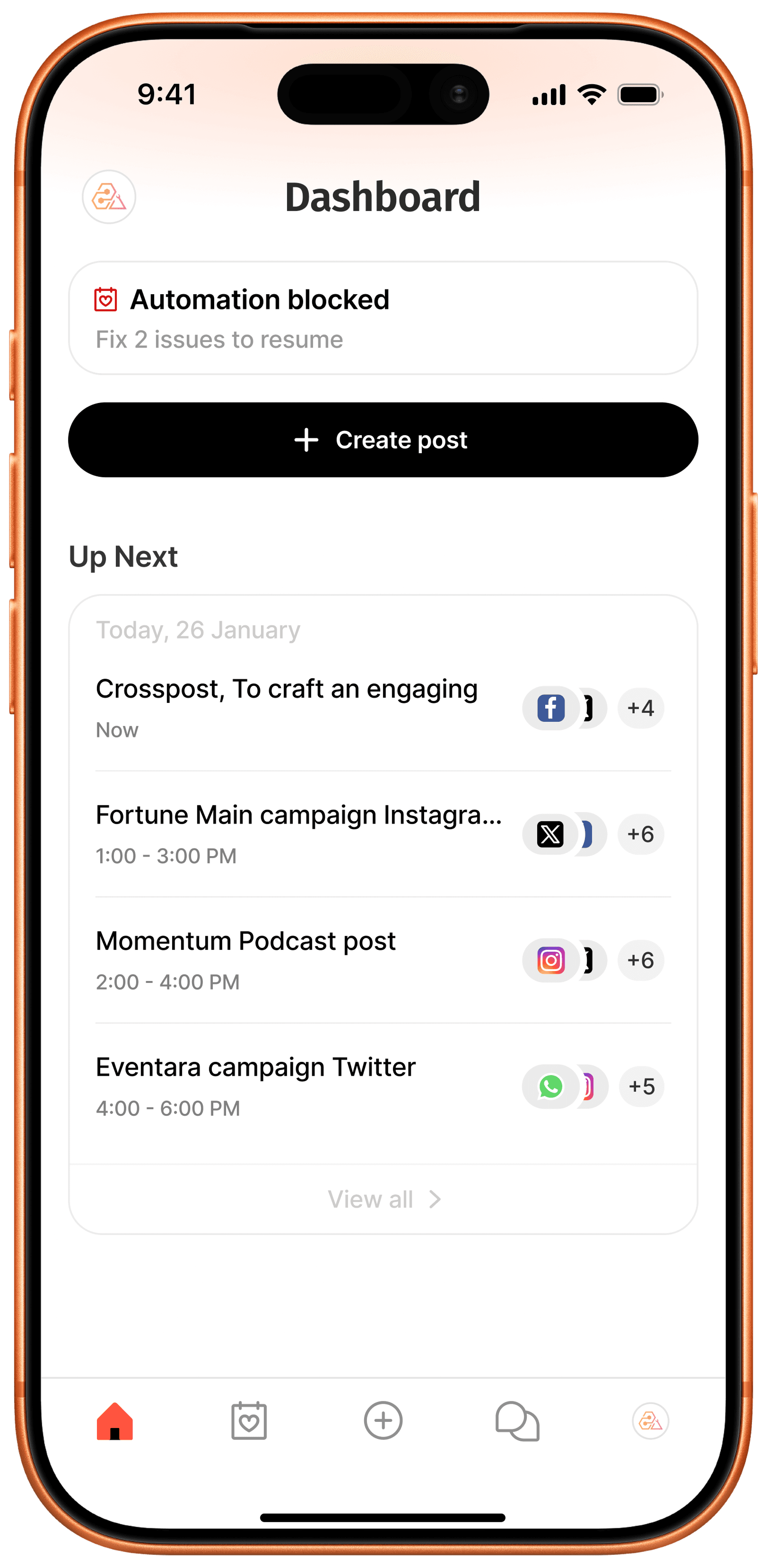
Krosspost dashboard with an automation blocked warning and an Up Next list of scheduled posts
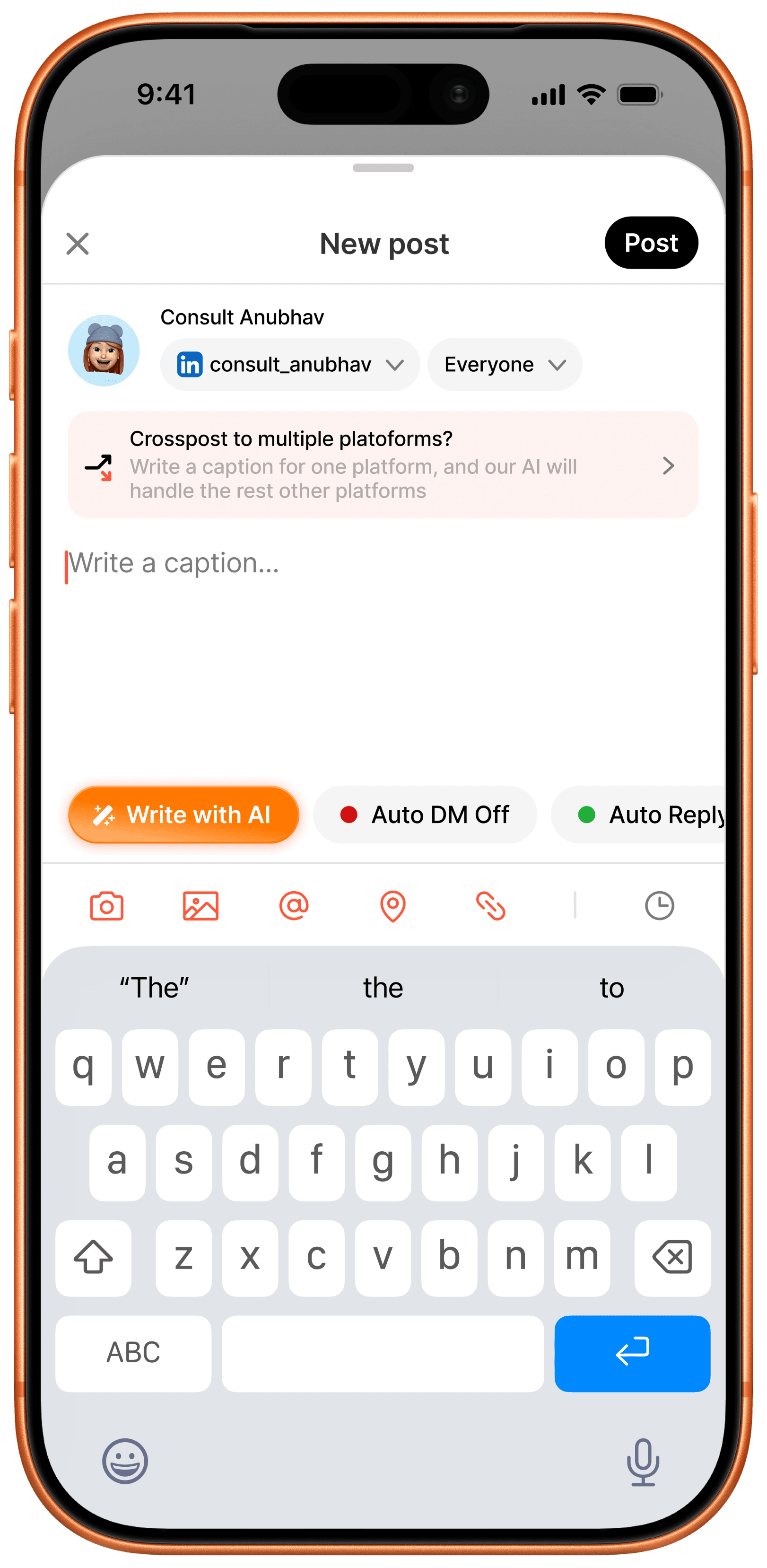
New post composer with a Crosspost to multiple platforms banner and Write with AI button

Command Center & Compose

A dashboard surfaces a blocked-automation warning and an Up Next queue of scheduled posts; from there, one caption field flags itself as a crosspost and hands platform-specific rewriting to AI.

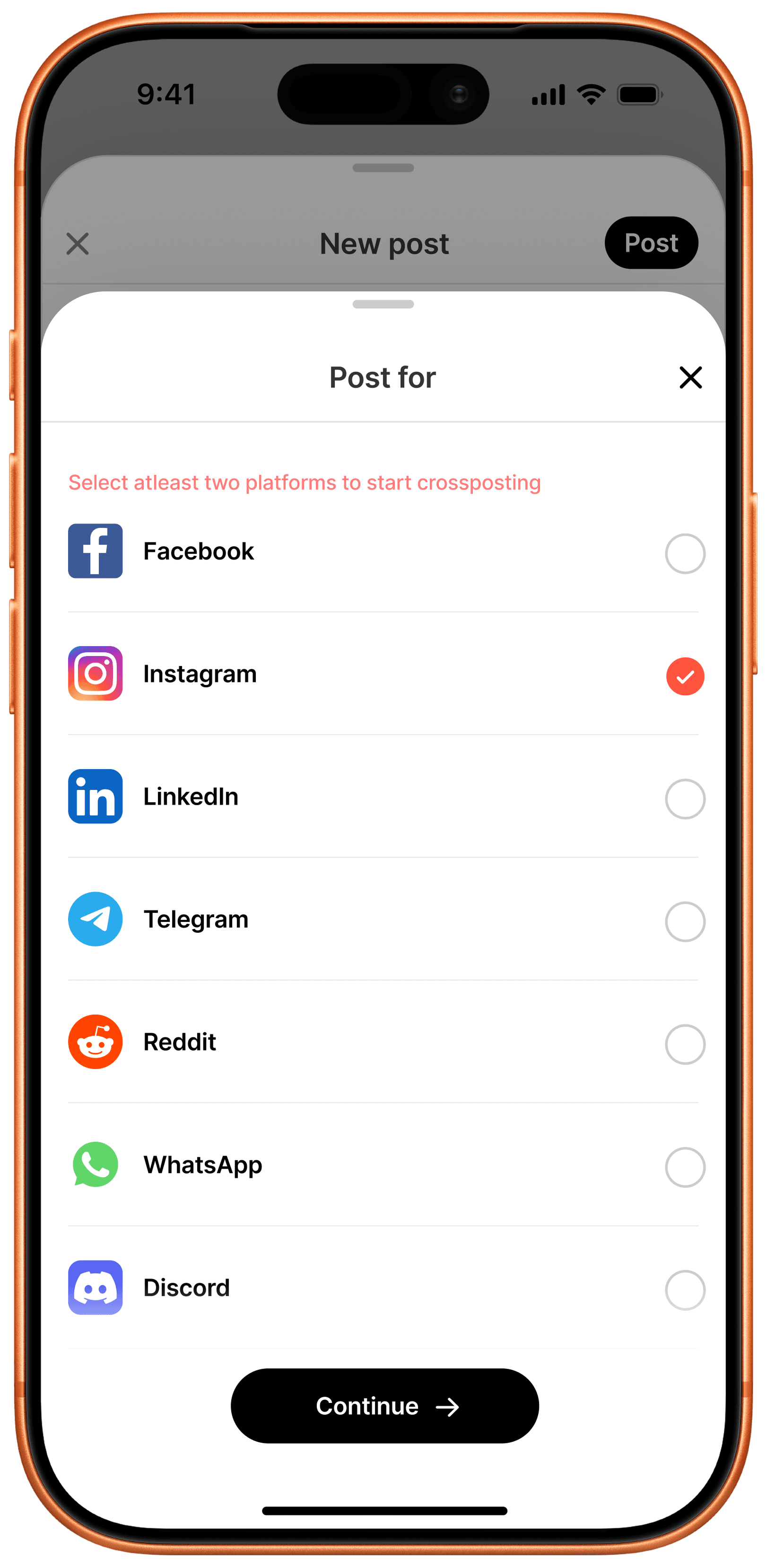
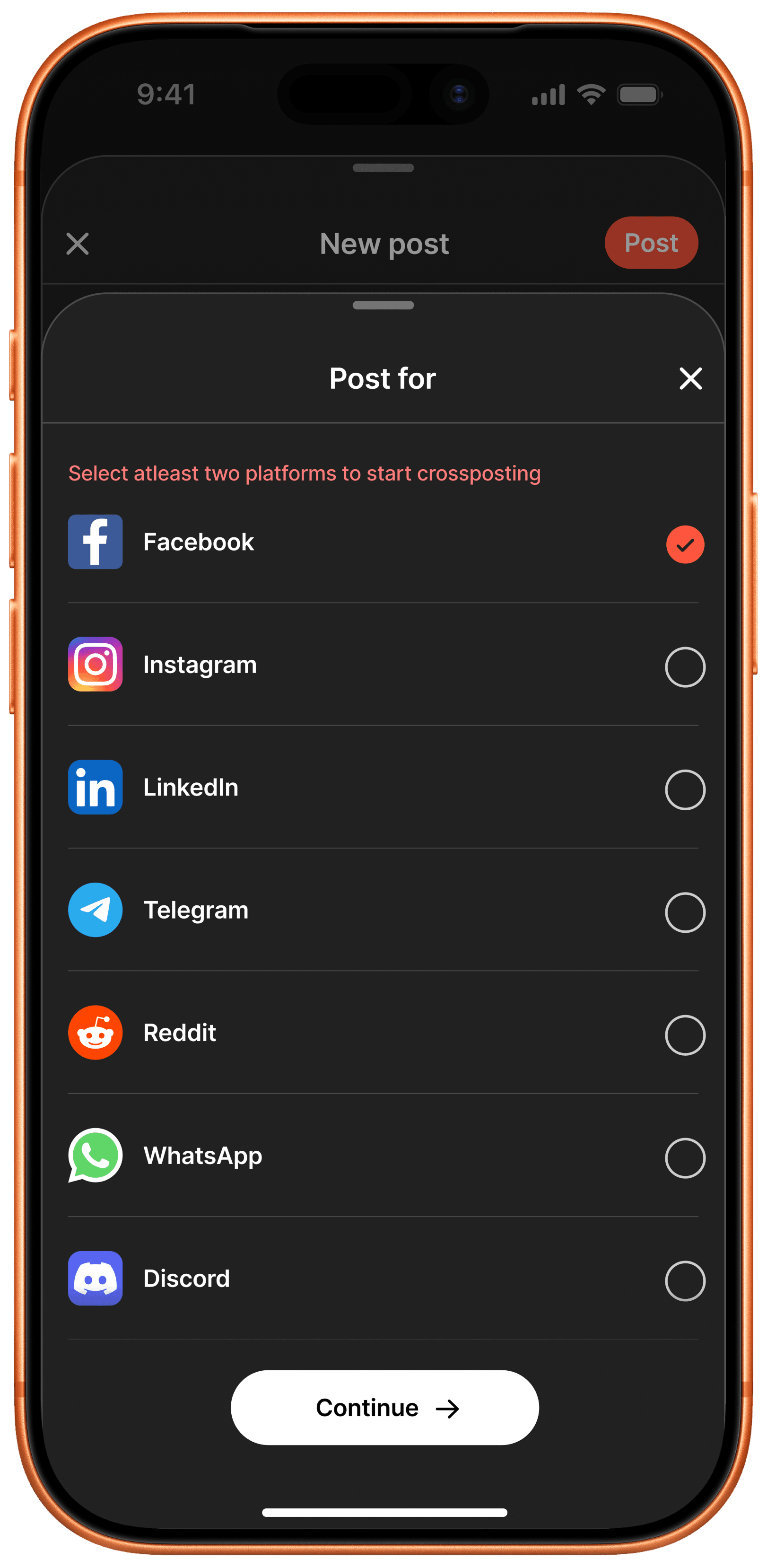
Post for platform picker requiring at least two platforms selected before continuing
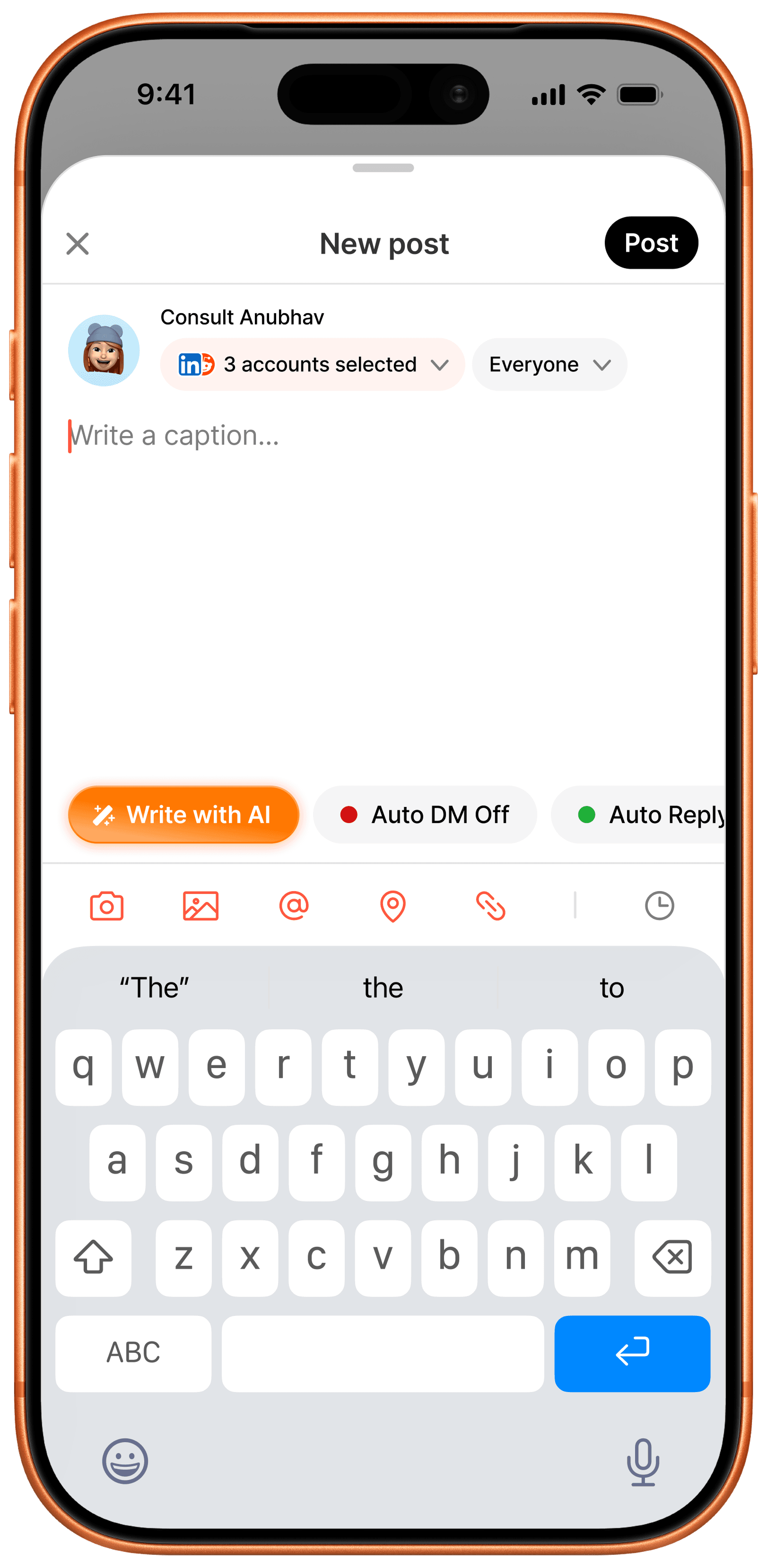
New post composer showing 3 accounts selected on one platform

Choose Platforms & Accounts

Picking a destination requires at least two of seven supported platforms - Facebook, Instagram, LinkedIn, Telegram, Reddit, WhatsApp, Discord - and once several accounts share a platform, the composer collapses them into a single "accounts selected" control.

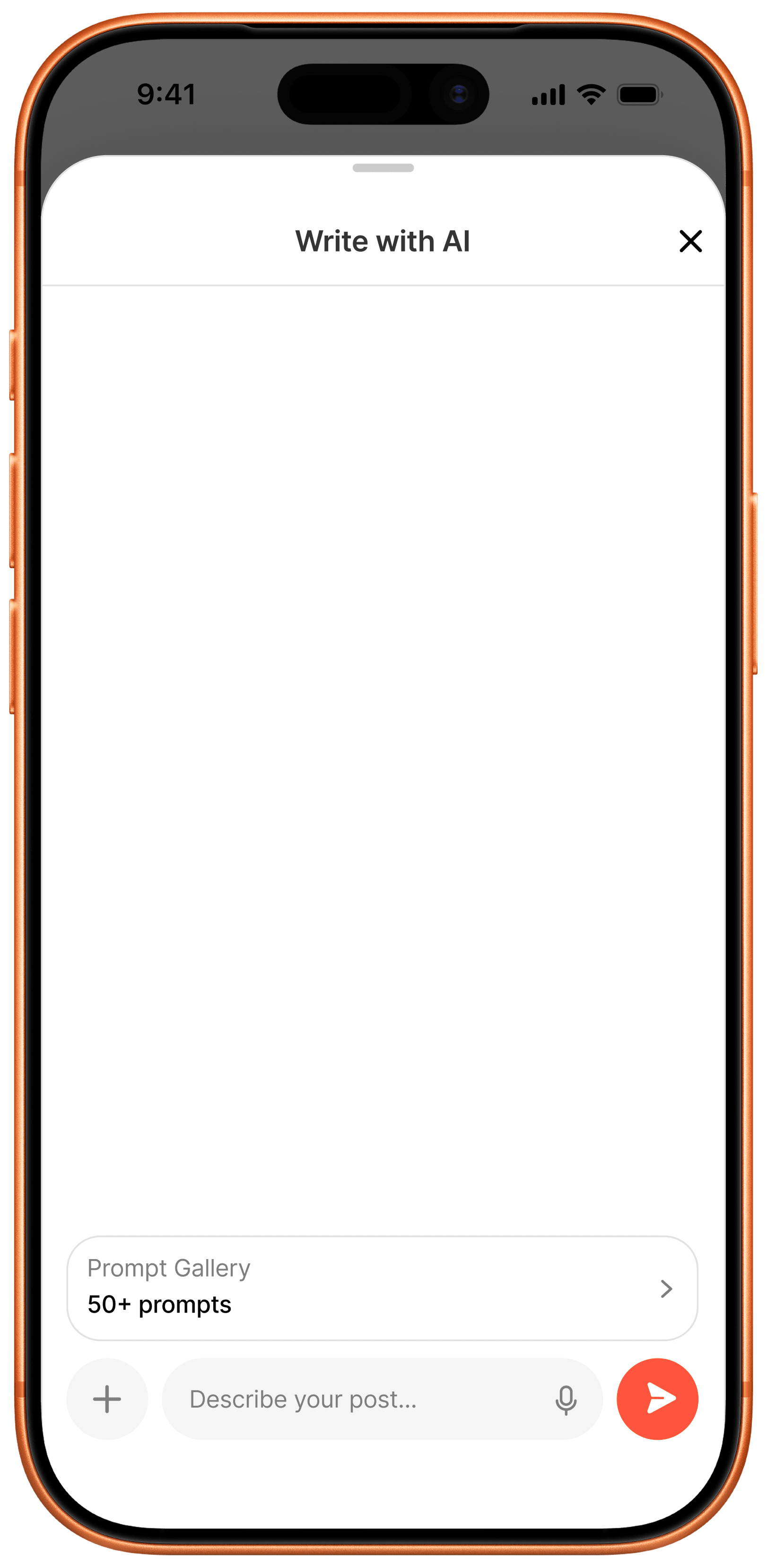
Write with AI blank chat state with a Prompt Gallery shortcut
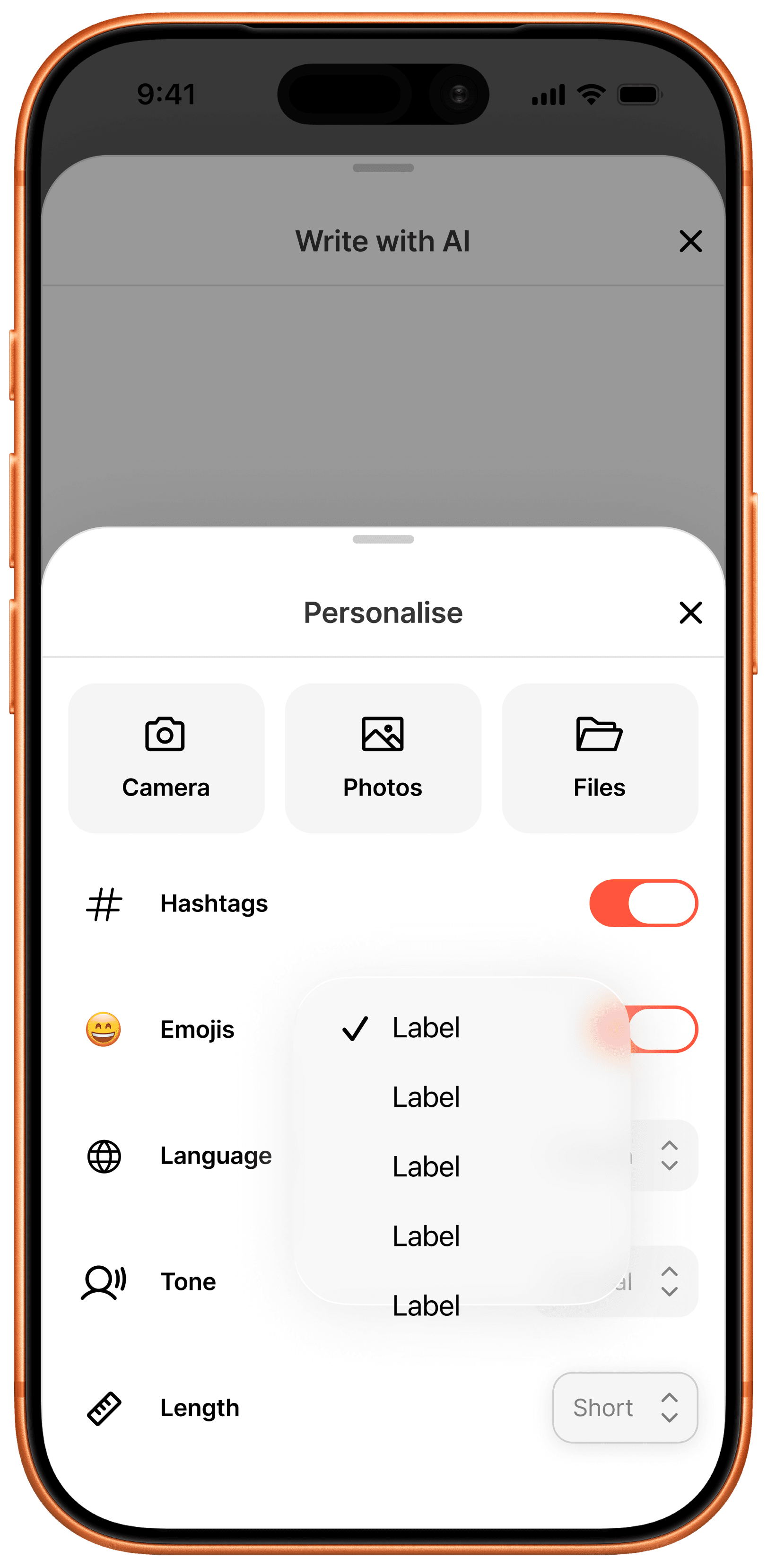
Personalise panel with Camera, Photos, Files, Hashtags, Emojis, Language, Tone, and Length controls

AI Writing Assistant, Personalized
Write with AI opens to a blank thread backed by a Prompt Gallery shortcut; a Personalise panel controls hashtags, emojis, language, tone, and caption length before any text gets generated.

Prompt Gallery list of pre-written social media post prompts
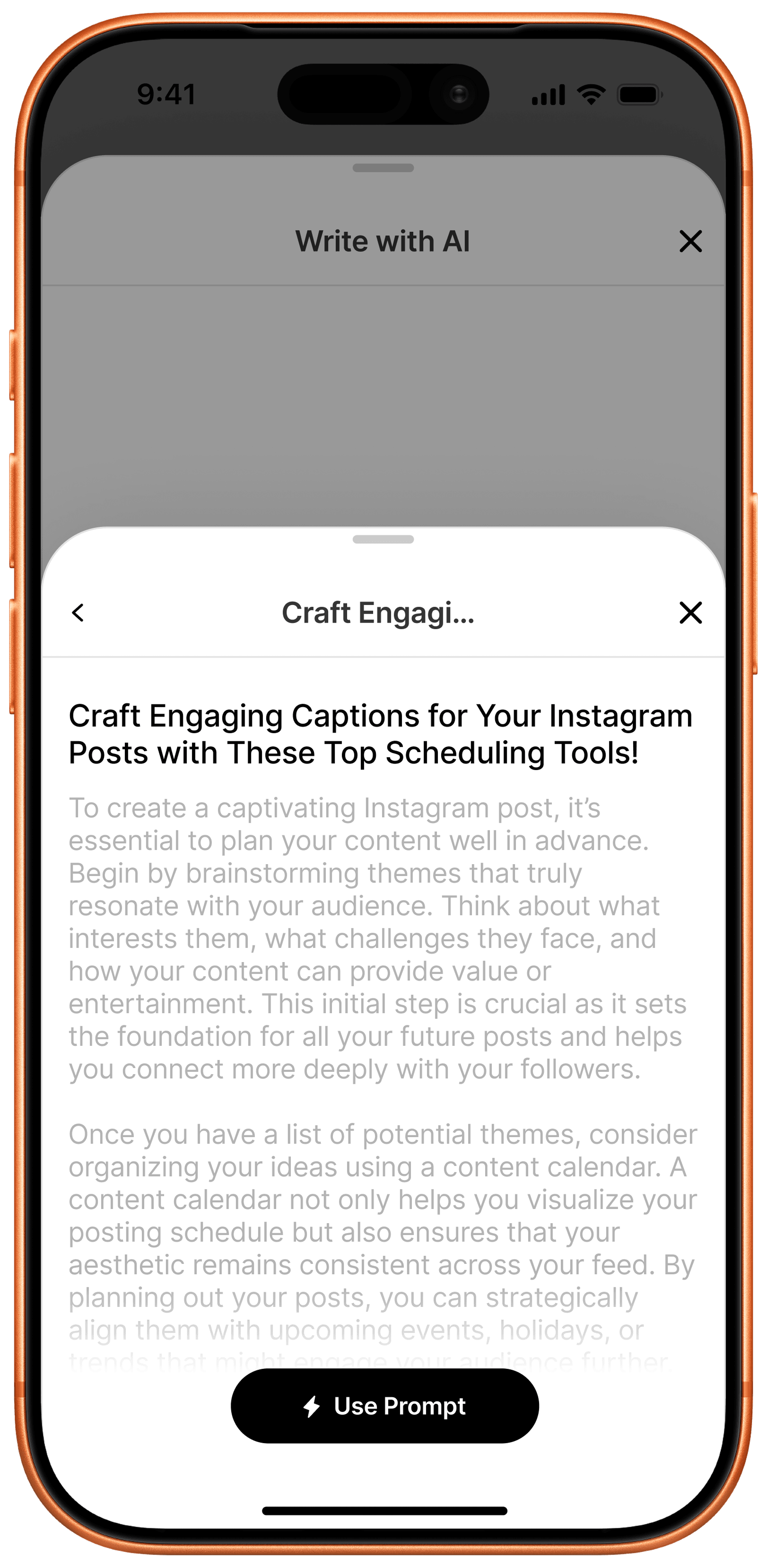
Full prompt preview with a Use Prompt action

50+ Prompt Gallery

A gallery of pre-written prompts for common post types opens into a full prompt preview with a one-tap Use Prompt action, skipping the blank-page problem entirely.

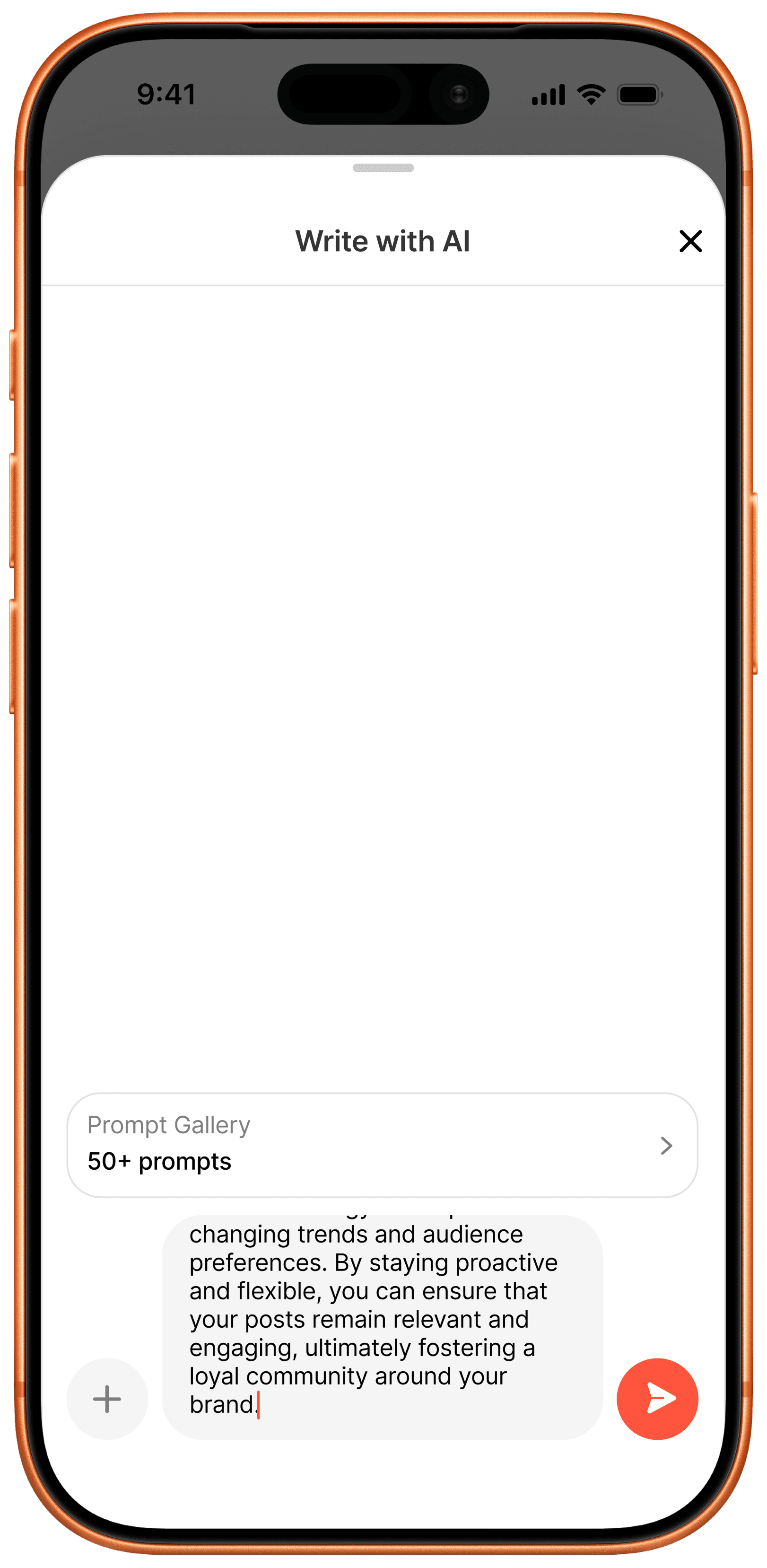
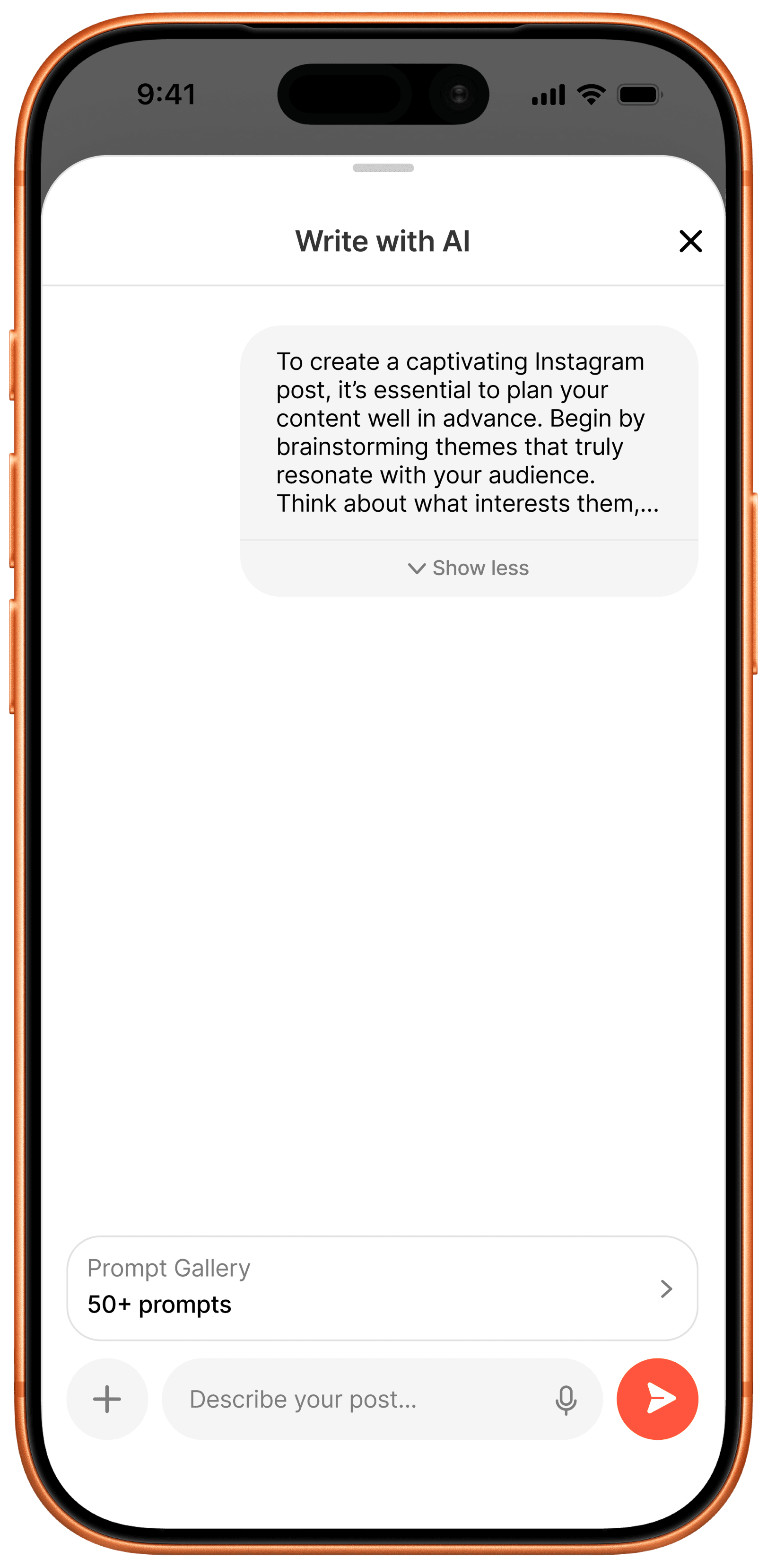
Selected prompt appearing as a sent message in the Write with AI thread
Sent prompt message collapsed with a Show less control

Prompt Sent as a Message

Selecting a prompt drops it into the AI thread as a sent message, collapsible with Show more/less so a long prompt doesn't take over the screen while the response streams in.

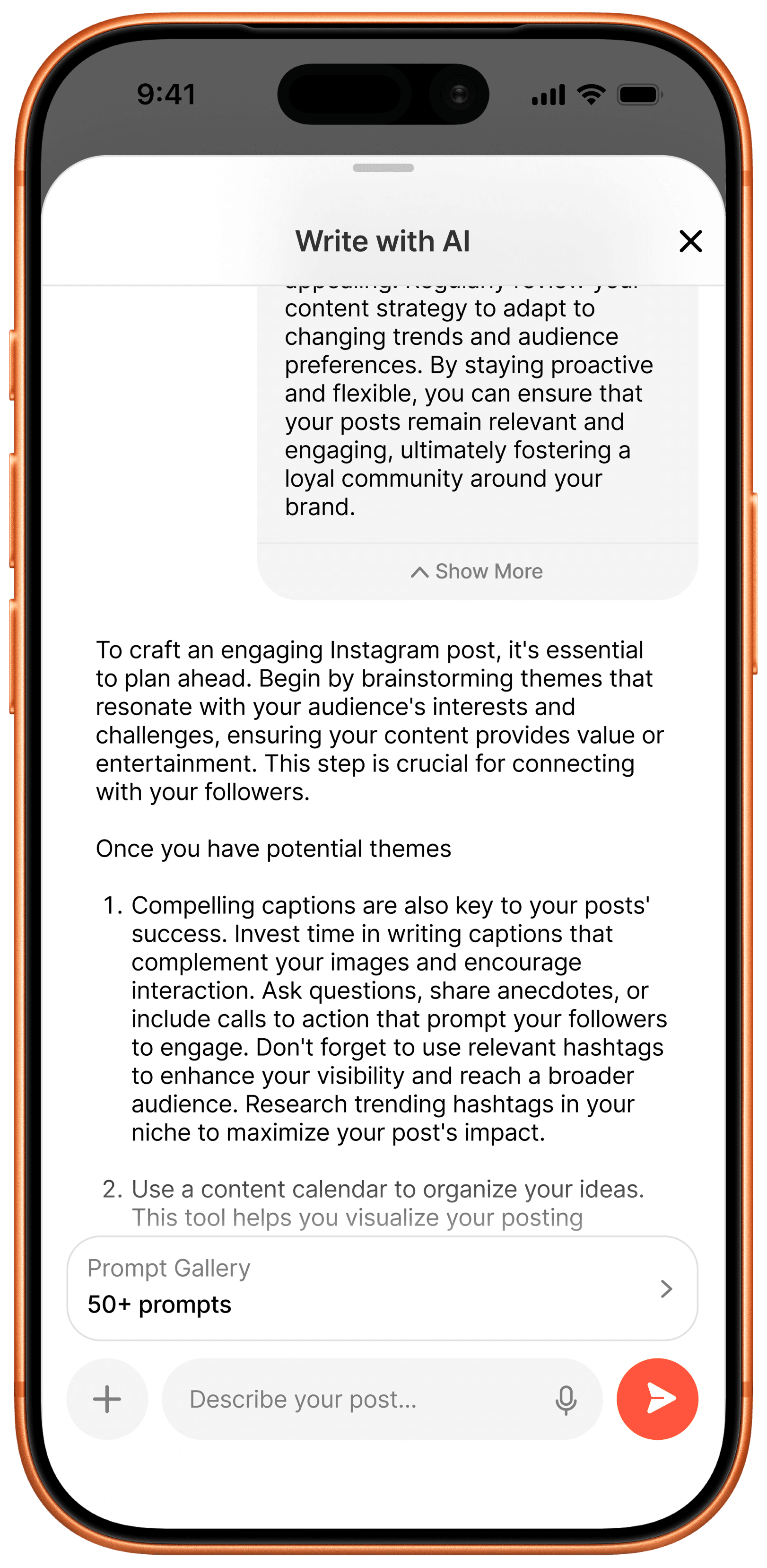
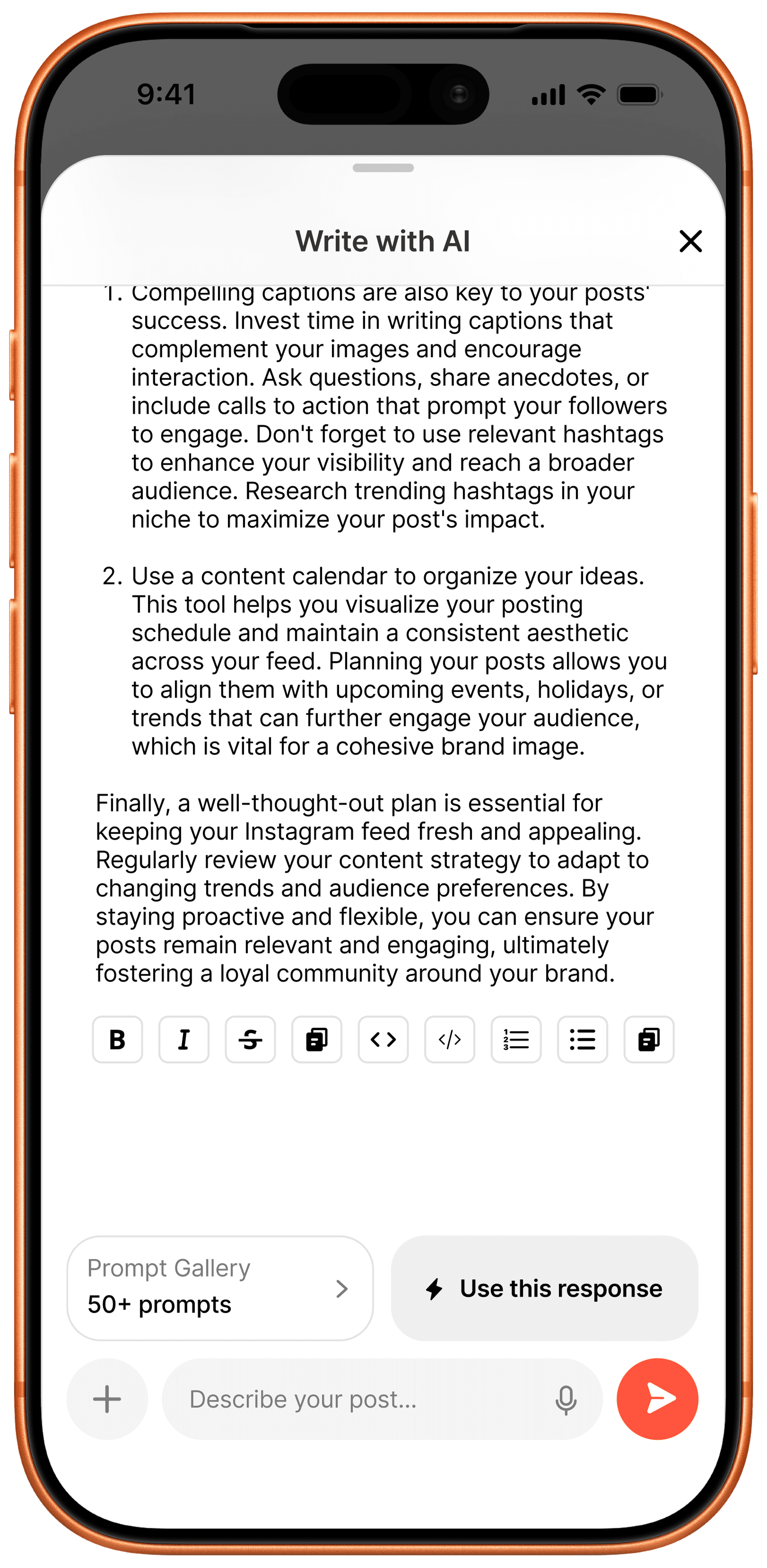
AI response streaming in with a numbered list inside the Write with AI thread
Rich-text formatting toolbar with a Use this response action

Streaming Response & Rich-Text Editing
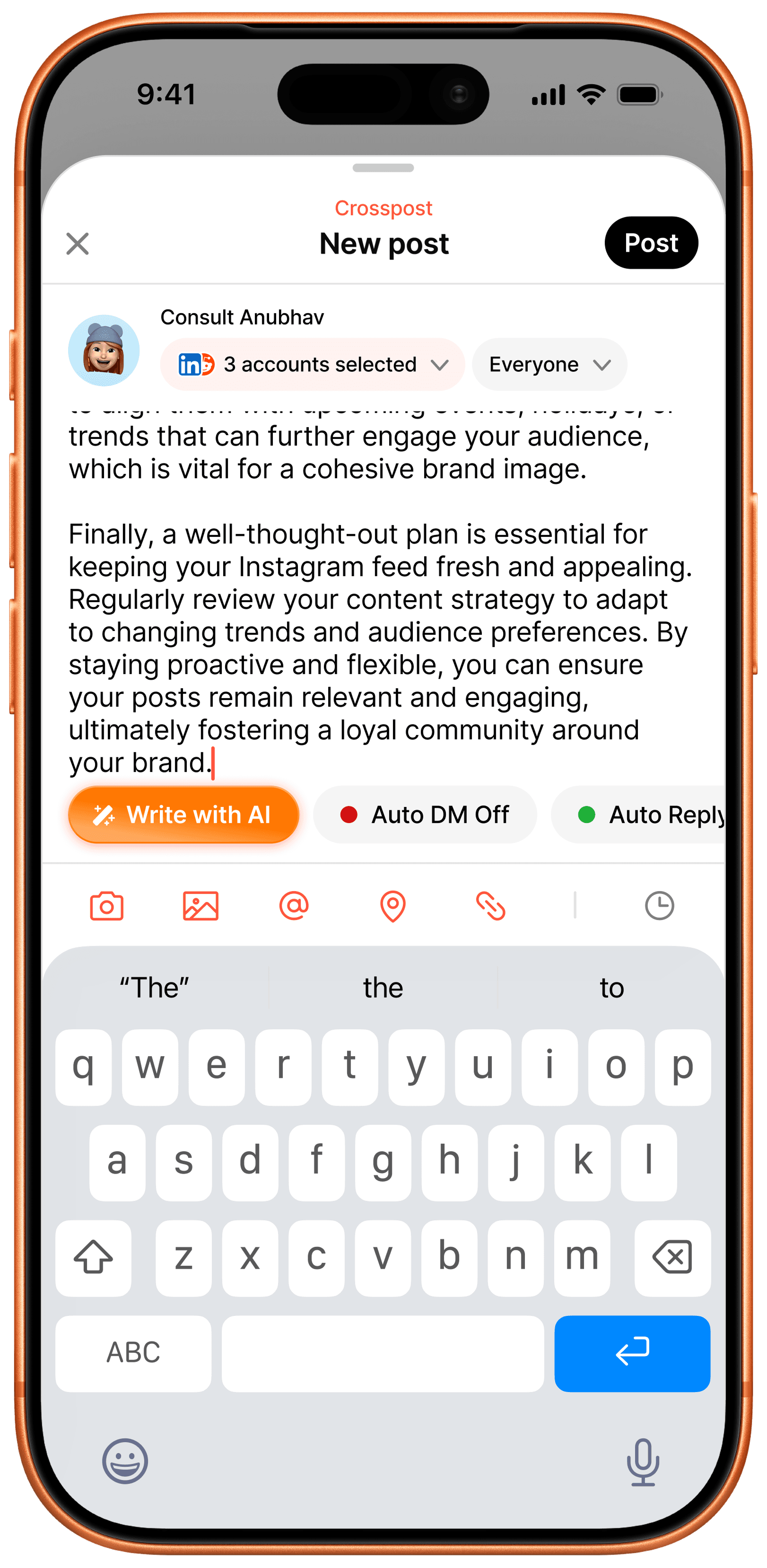
The AI response streams in with structured lists, then hands off to a formatting toolbar - bold, italic, strikethrough, code, ordered and unordered lists - before Use this response pushes it back into the caption.

New post composer with the AI-generated caption applied and Crosspost label showing
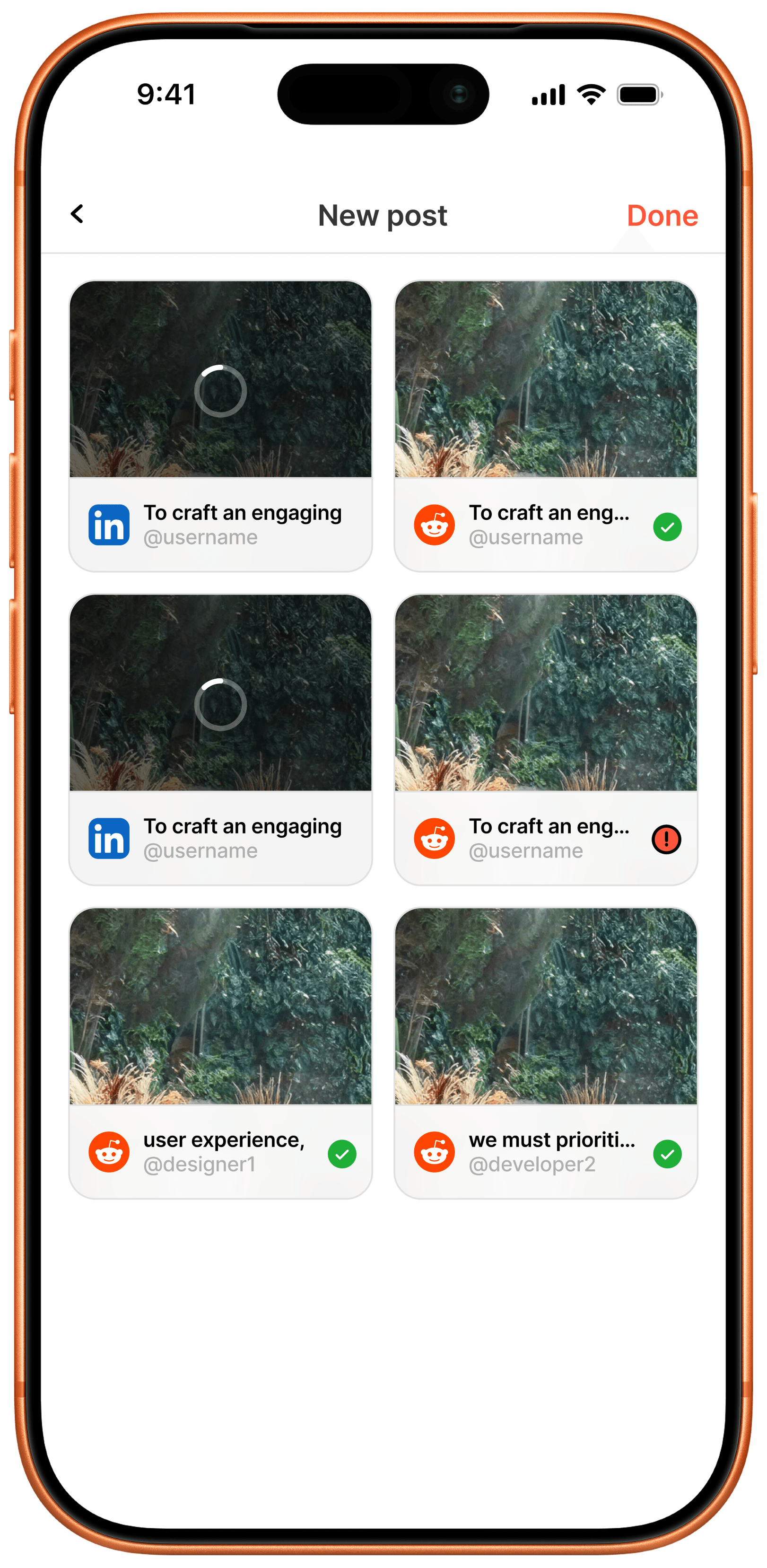
Publish status grid showing per-platform posting progress, success, and failure states

AI Caption Applied & Publish Status
The generated caption lands back in the composer ready to post to every selected account, and each destination then gets its own tile with independent publish state - in progress, posted, or failed - so one failure never hides the rest that succeeded.

Dark Mode

Companion theme

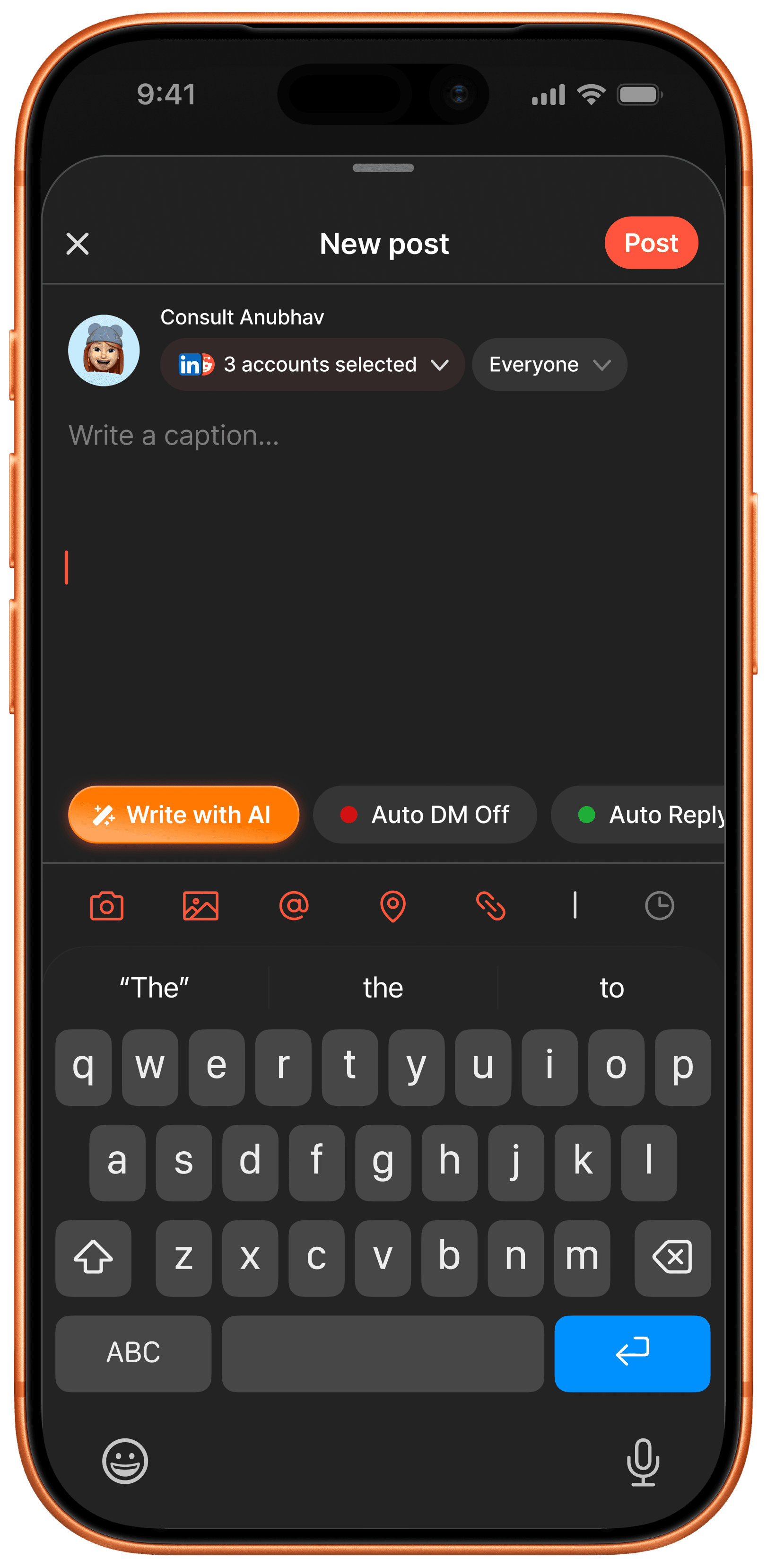
The same composer, platform picker, and publish grid re-themed for dark mode, keeping the orange-red accent as the one constant across both surfaces so status colors and brand identity read the same regardless of theme.

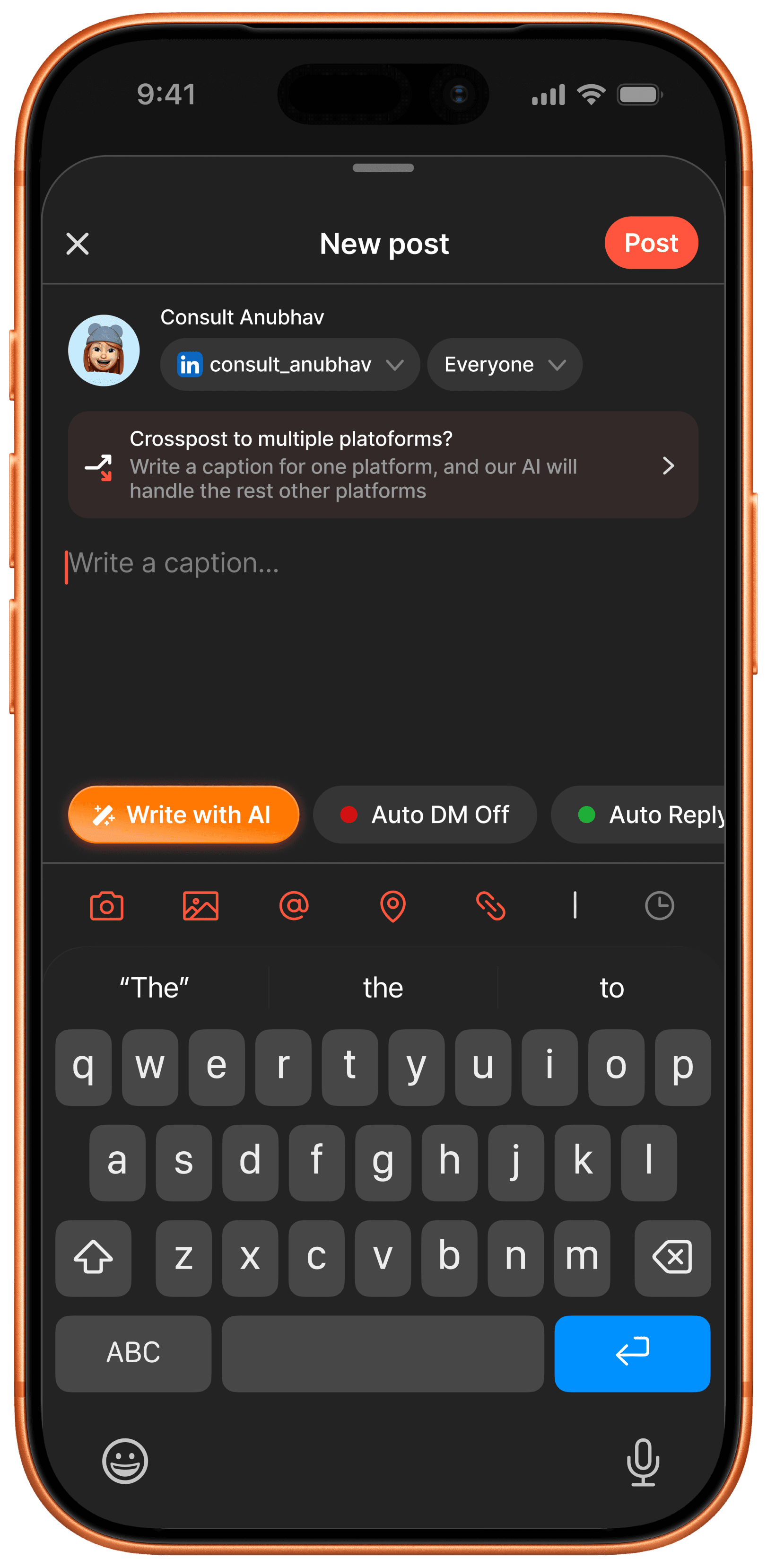
Dark mode new post composer with a Crosspost to multiple platforms banner
Dark mode Post for platform picker with Facebook selected

Compose & Select Platforms

The same crosspost composer and 2-of-7 platform picker in dark mode, keeping the orange-red accent as the one constant color across both themes.

Dark mode new post composer with the AI-generated caption applied
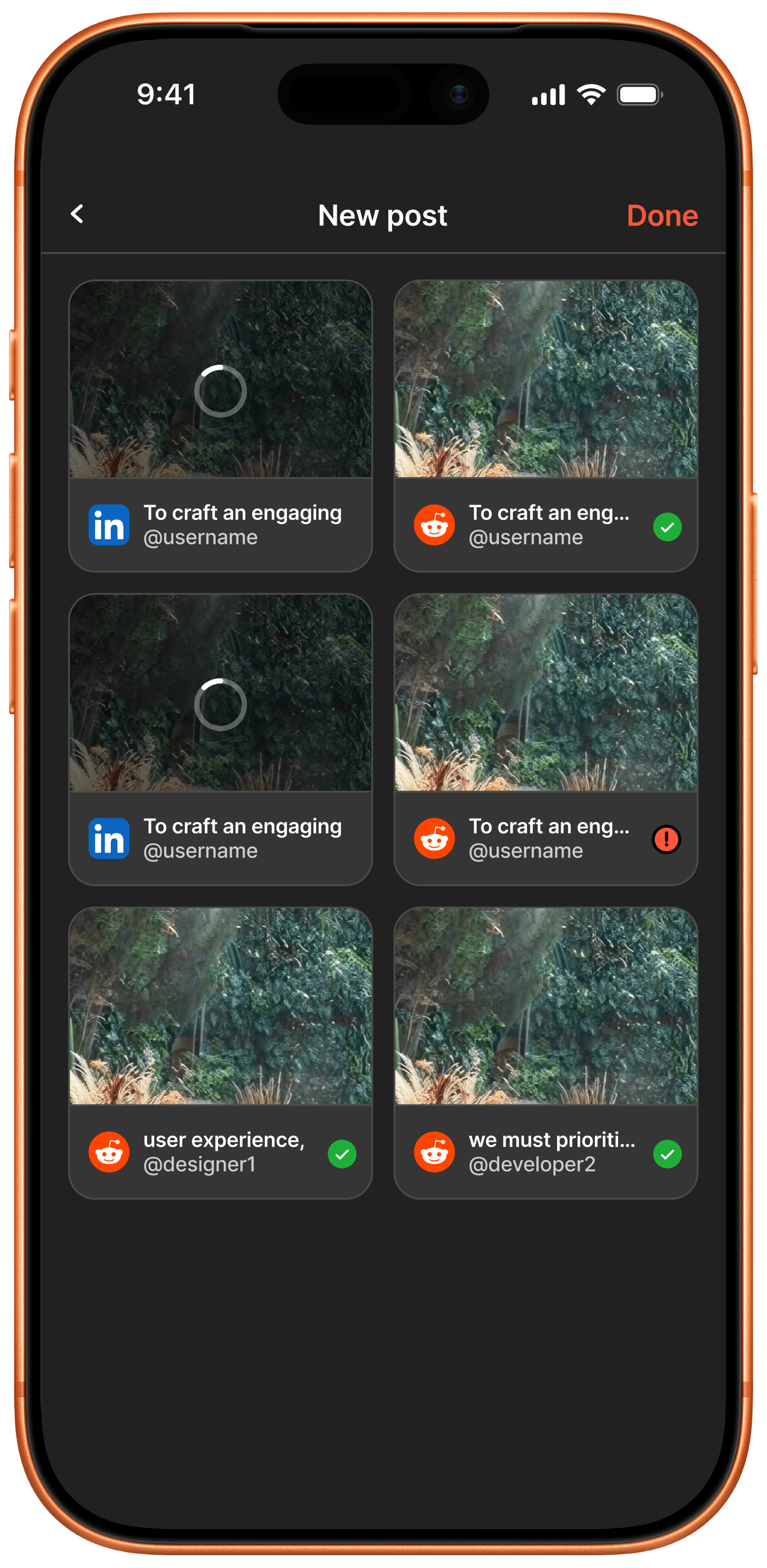
Dark mode publish status grid showing per-platform posting states

AI Caption Applied & Publish Status
The generated caption and formatting carry over one-for-one into dark mode, and the publish status grid holds its in-progress, success, and failure states without losing legibility on the colored badges.

Reason-Mapped Retention Engine

End-to-end, Mar – May 2026

Redesigned a blunt, single-click cancellation into a value-led offboarding flow: reason-mapped bonus entry credits in place of blanket discounts, plus a 1-click win-back path, cutting off-season churn 24% (38% to 14%) and preserving £420k in recurring revenue. Growth wanted a flat 20%-off discount for anyone who clicked cancel; I pushed for reason-mapped credits instead, since a blanket discount trains your best customers to threaten cancellation every renewal.

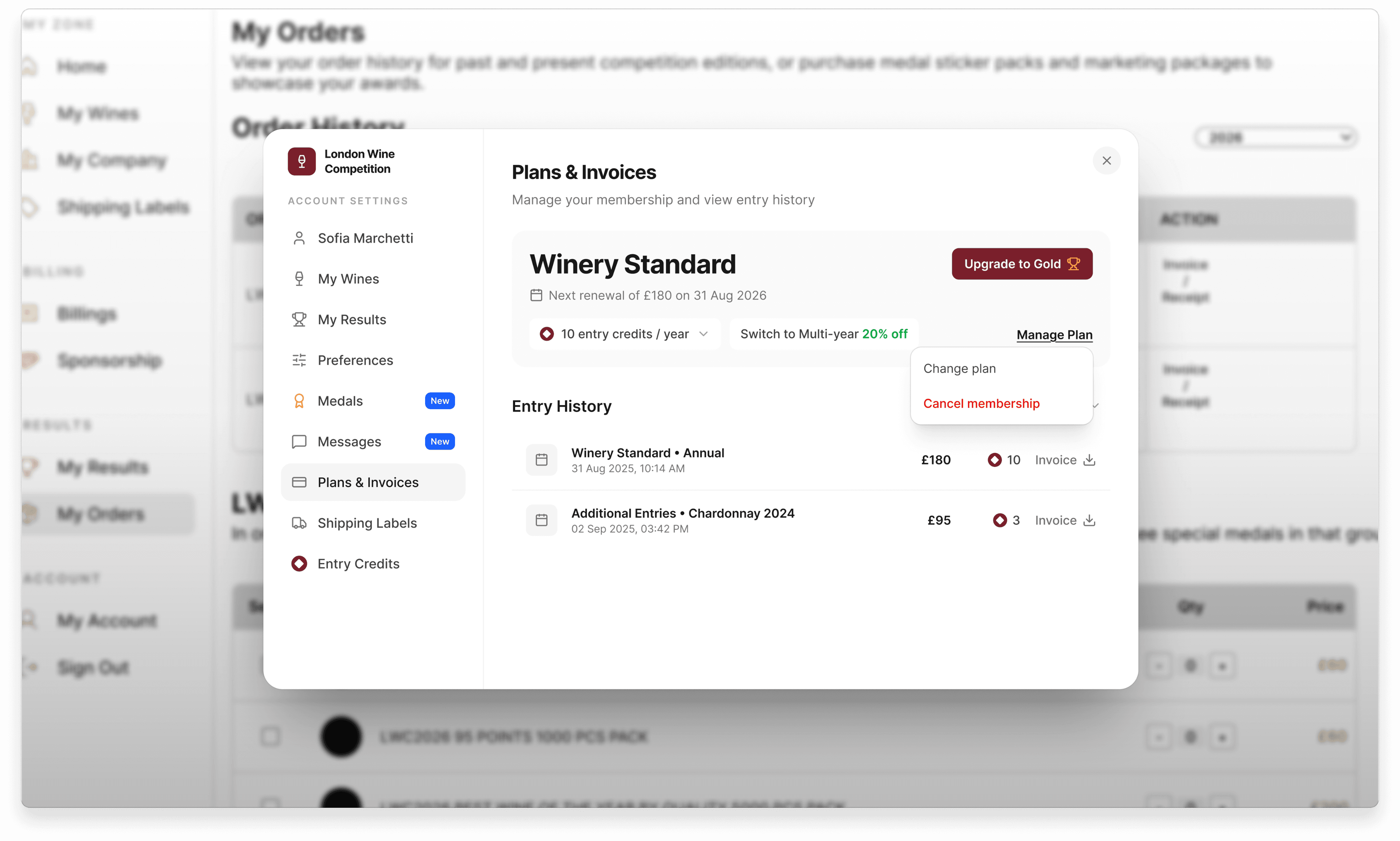
Plans & Invoices portal showing Winery Standard tier, renewal date, entry credits, and a Cancel membership menu

Contextual Account & Plan Portal

Winery owners see their current tier, renewal date, and entry-credit balance in one place, replacing a legacy single-click cancel that offered zero telemetry, alternatives, or win-back mechanism.

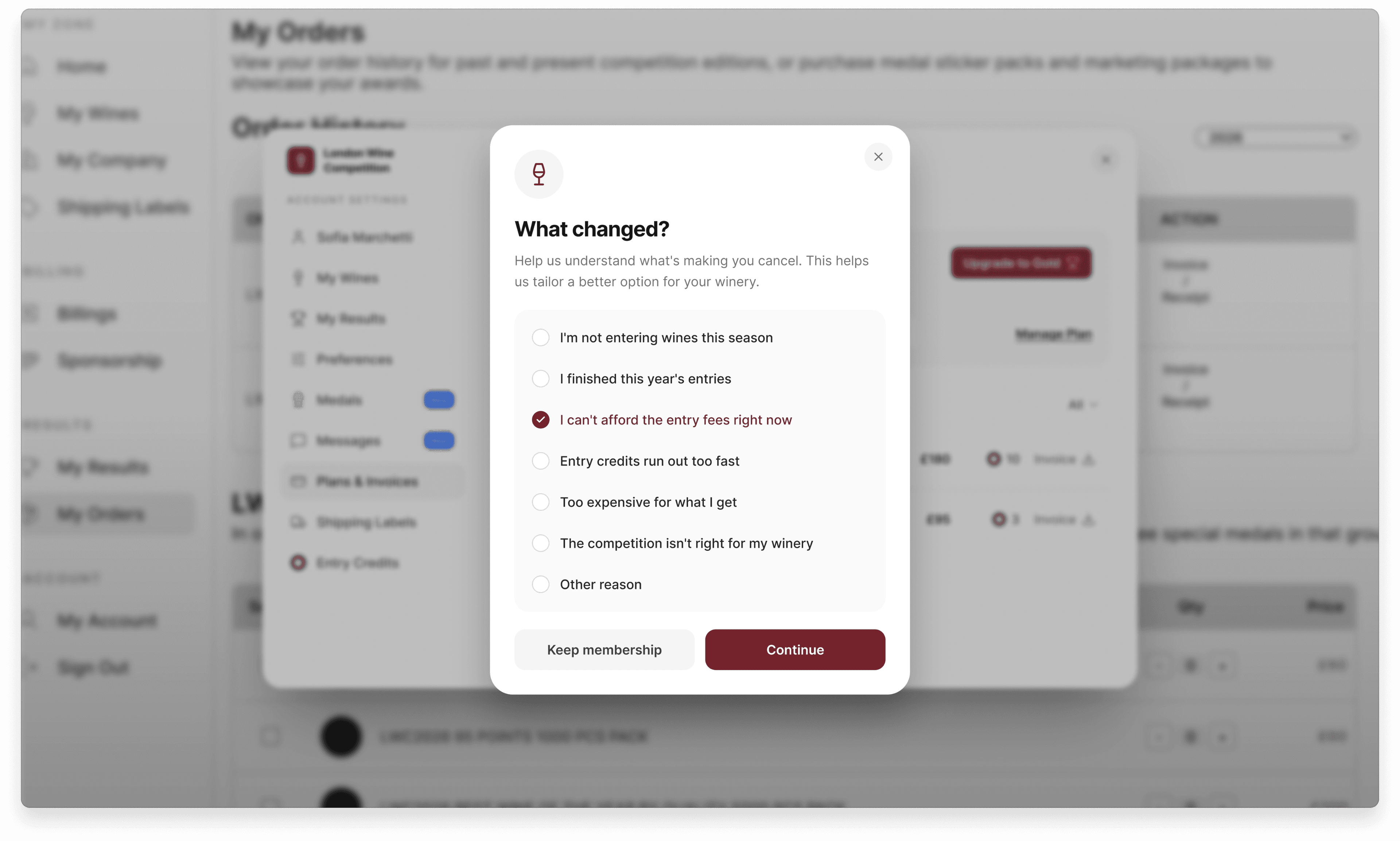
What changed cancellation survey with 7 radio-button reasons for leaving

Structured Churn Telemetry

An open-ended feedback box was replaced with 7 distinct operational reasons, letting the team separate pricing objections from competition timing and shipping logistics instead of guessing.

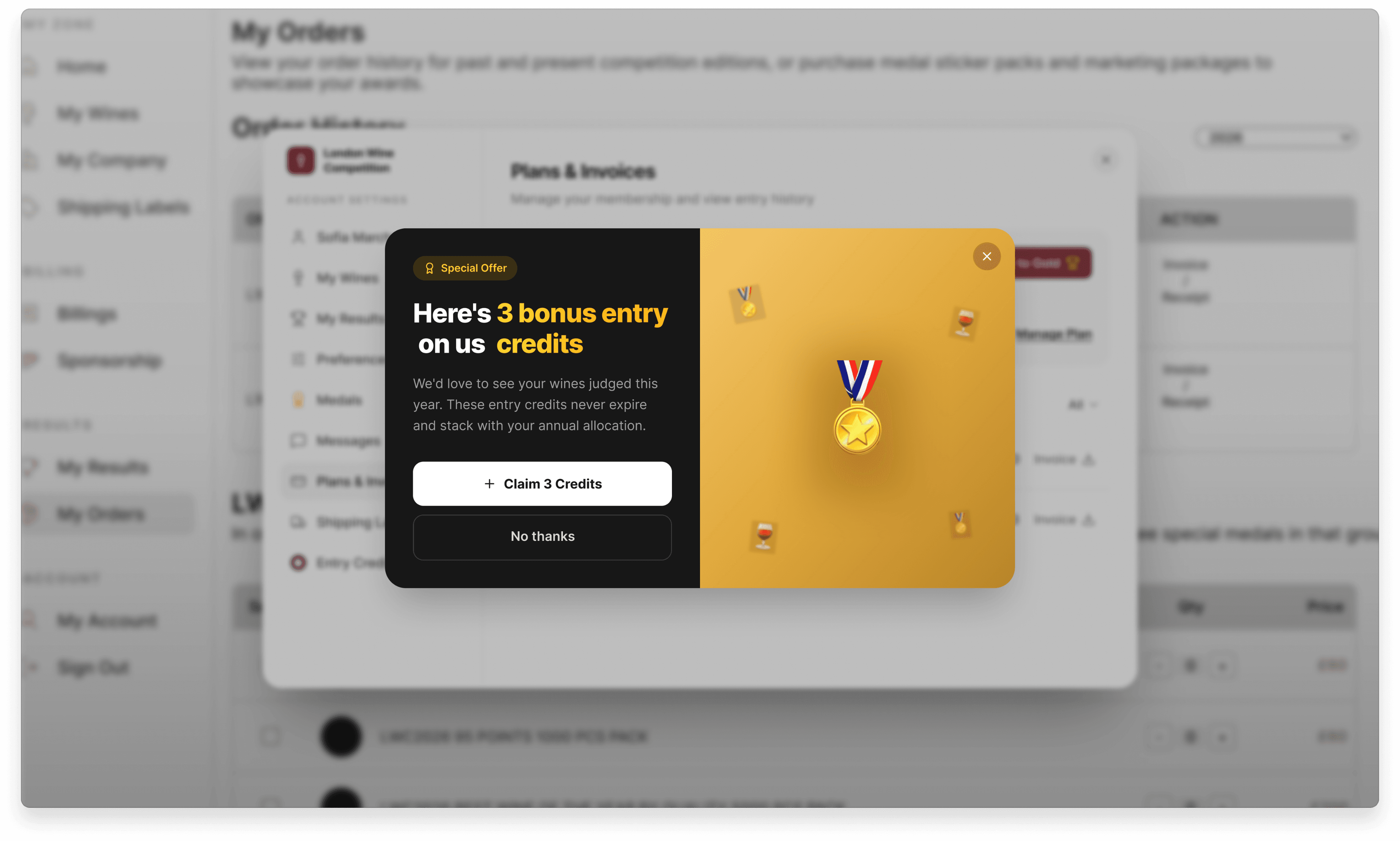
Special offer modal granting 3 non-expiring bonus entry credits

Reason-Mapped Retention Engine

Instead of a margin-eroding 20% blanket discount, a seasonal-pause reason triggers 3 non-expiring bonus entry credits - the offer 68% of matched wineries accepted, without touching the subscription price.

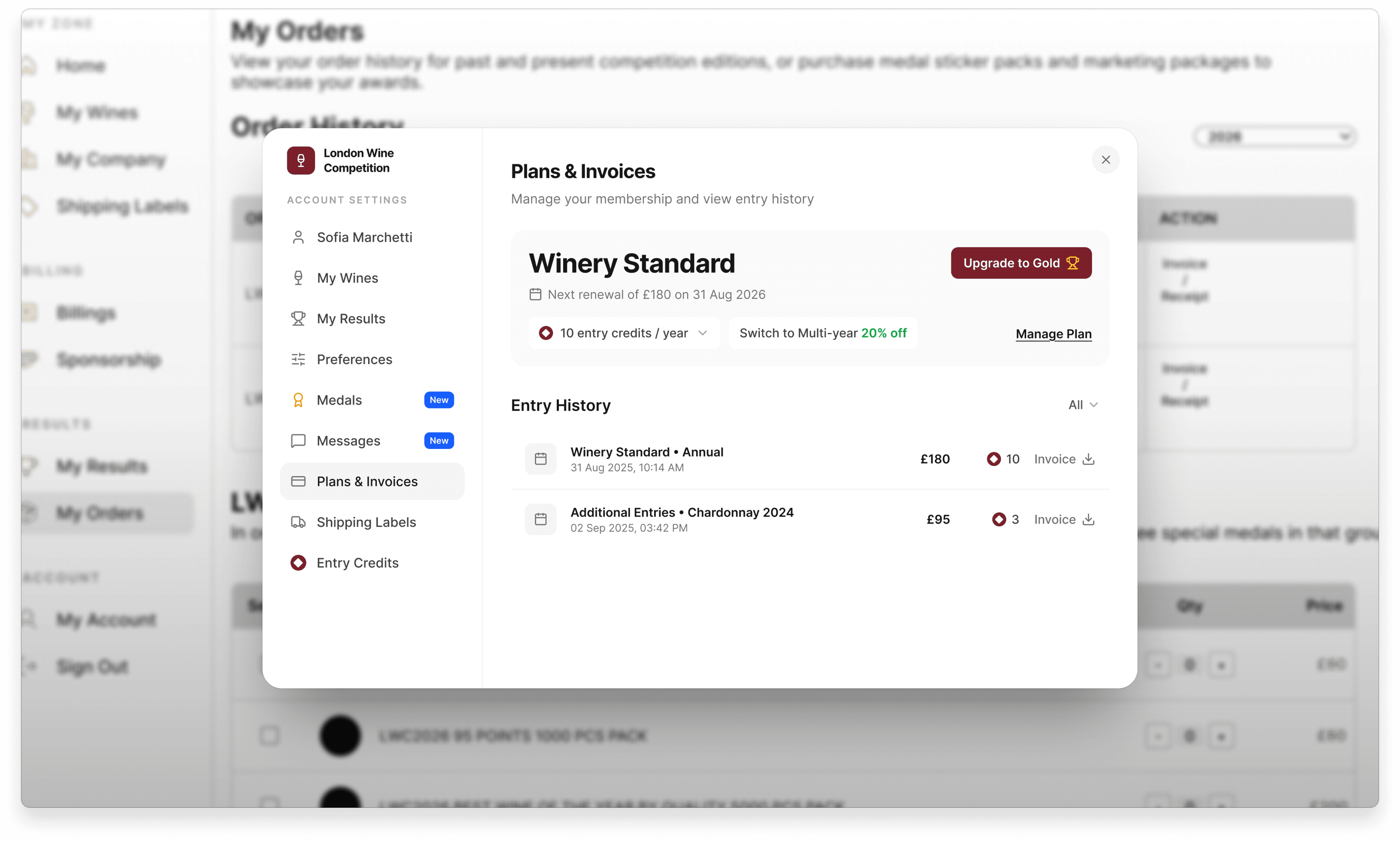
Plans & Invoices portal showing the winery's plan and entry history intact after cancellation

Zero-Friction Win-Back Bridge

Post-cancellation, the account keeps its full history and medal records visible with a single-click resume path, lifting reactivation from a 2% legacy manual win-back rate to 18%.

Split-Shipment Bulk Checkout

Housie

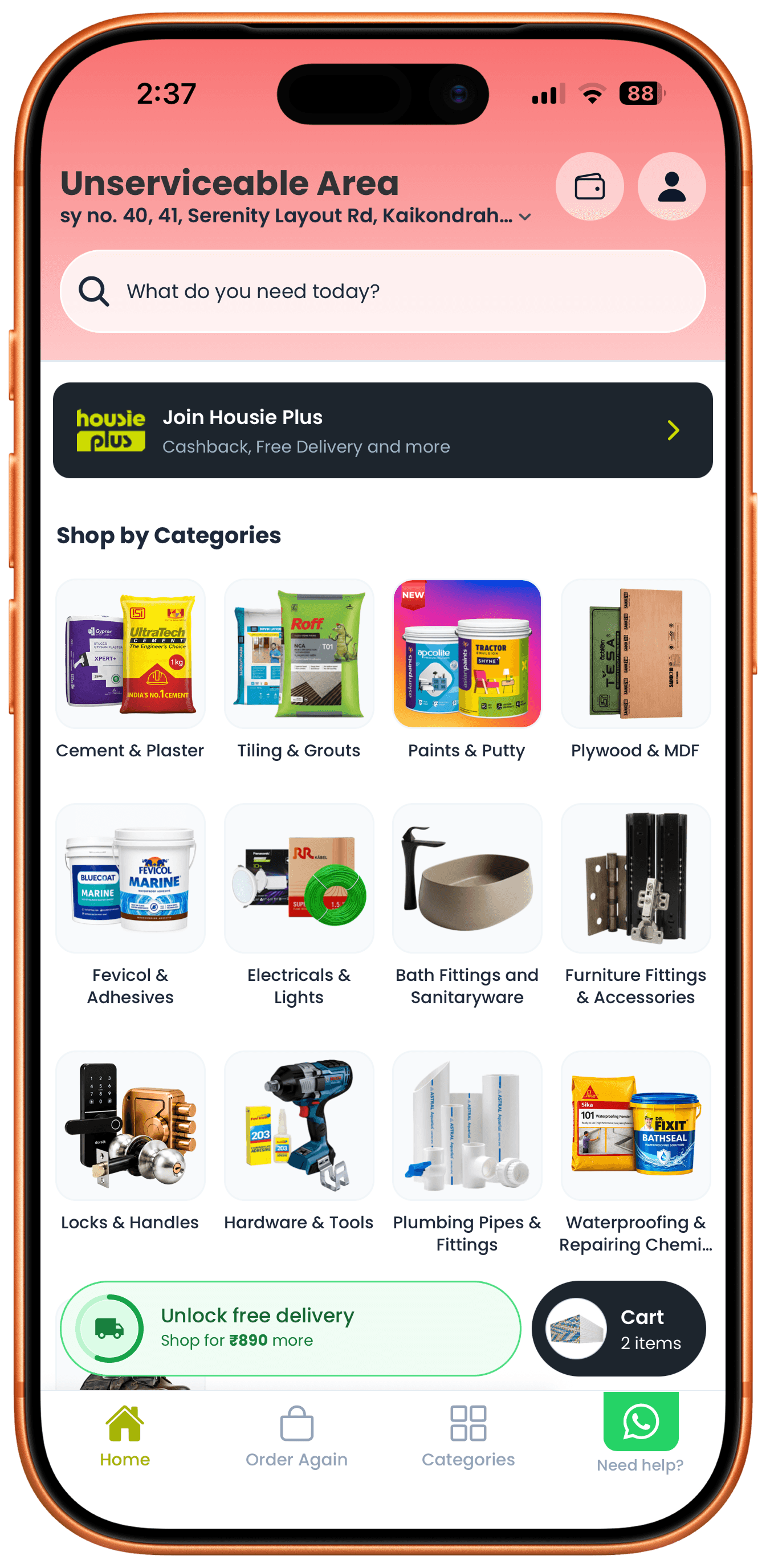
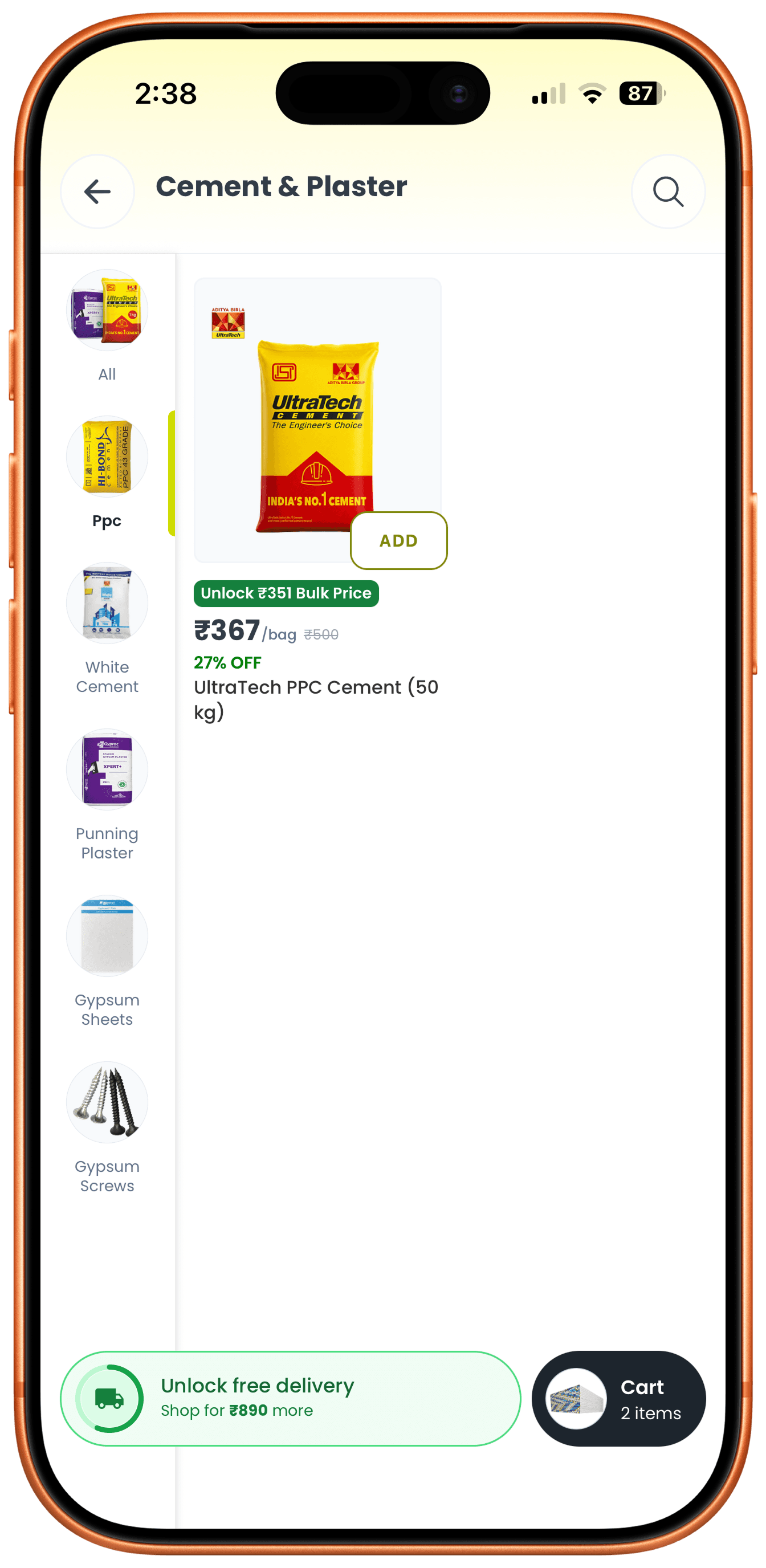
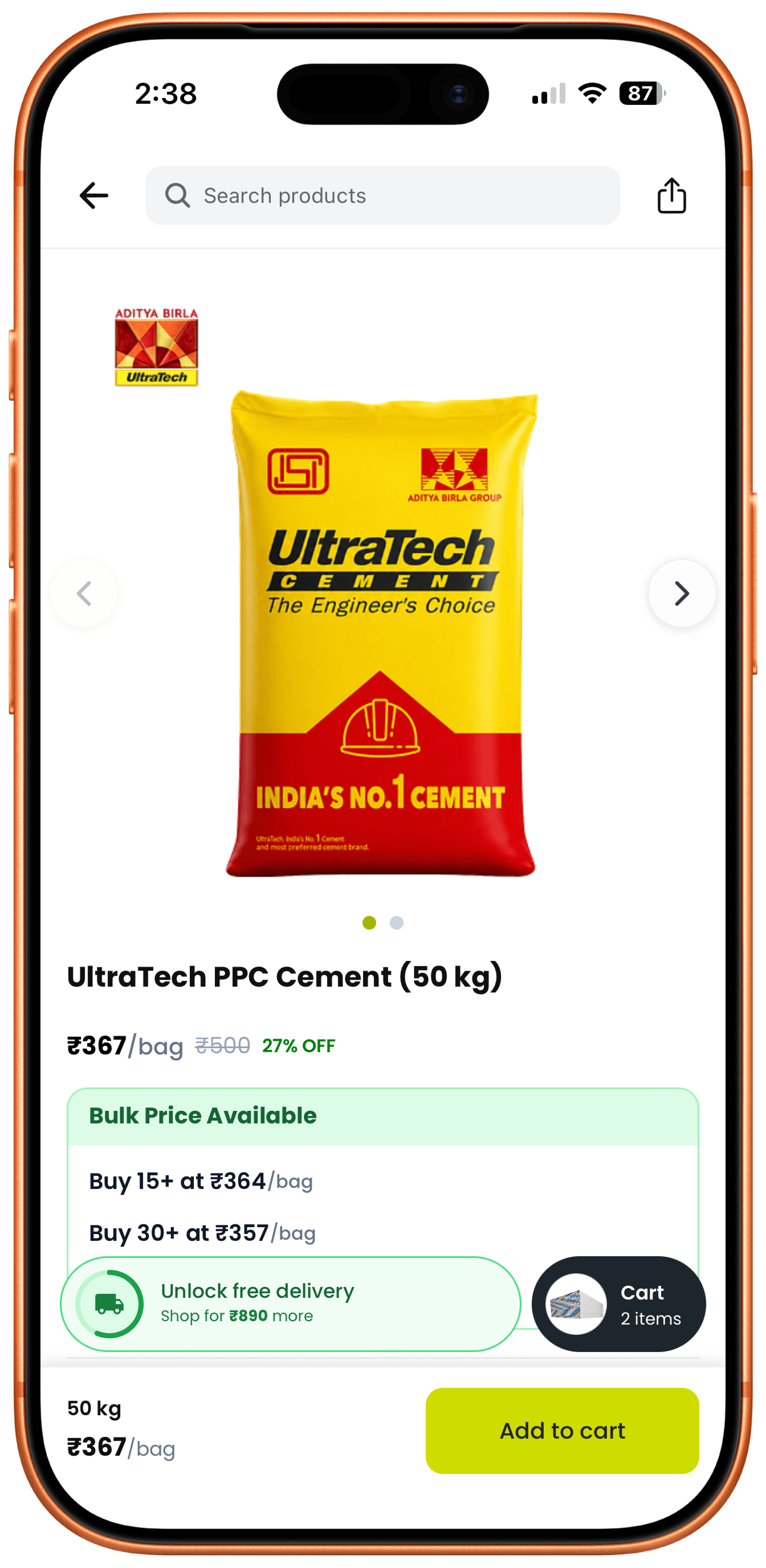
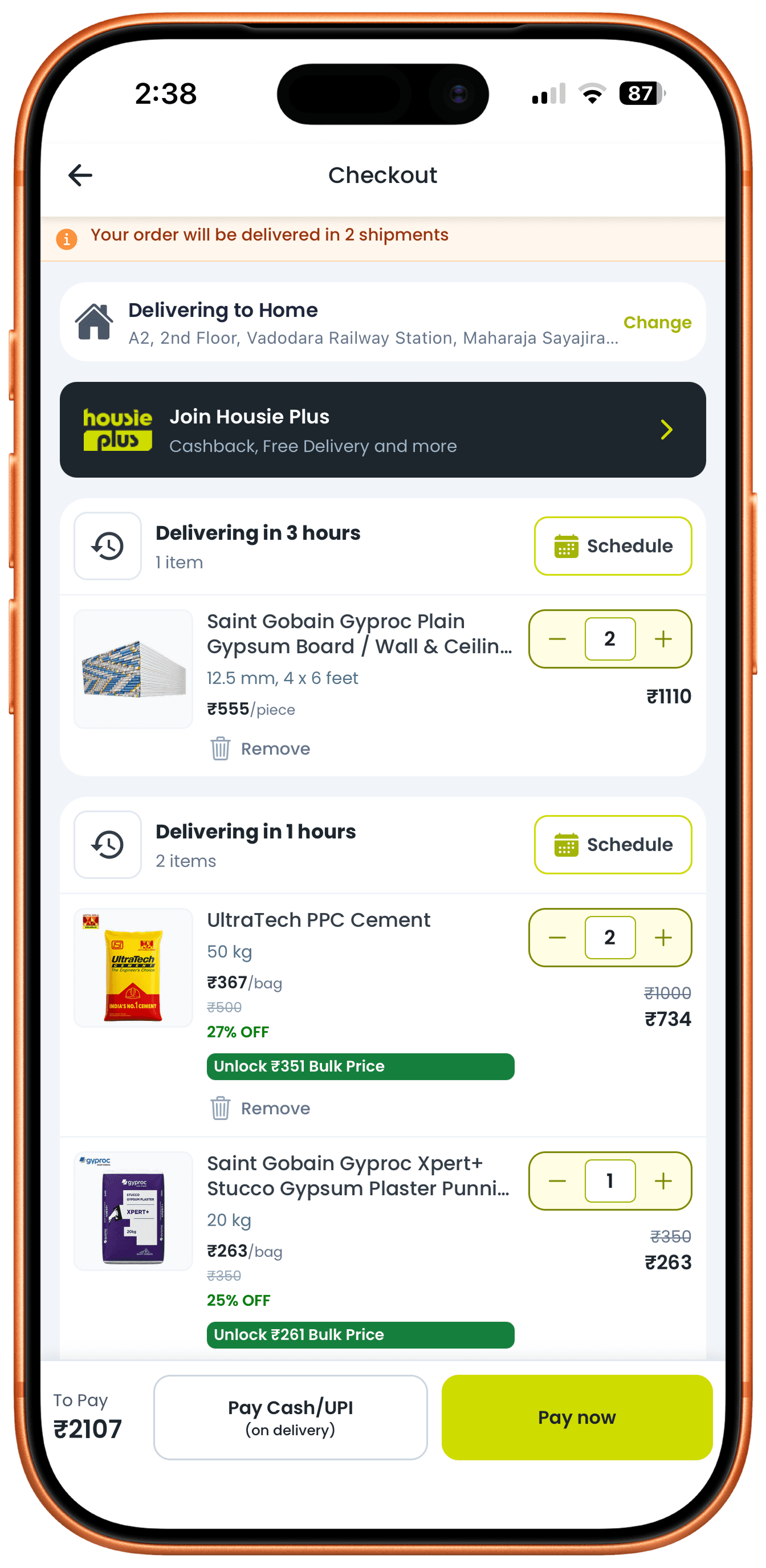
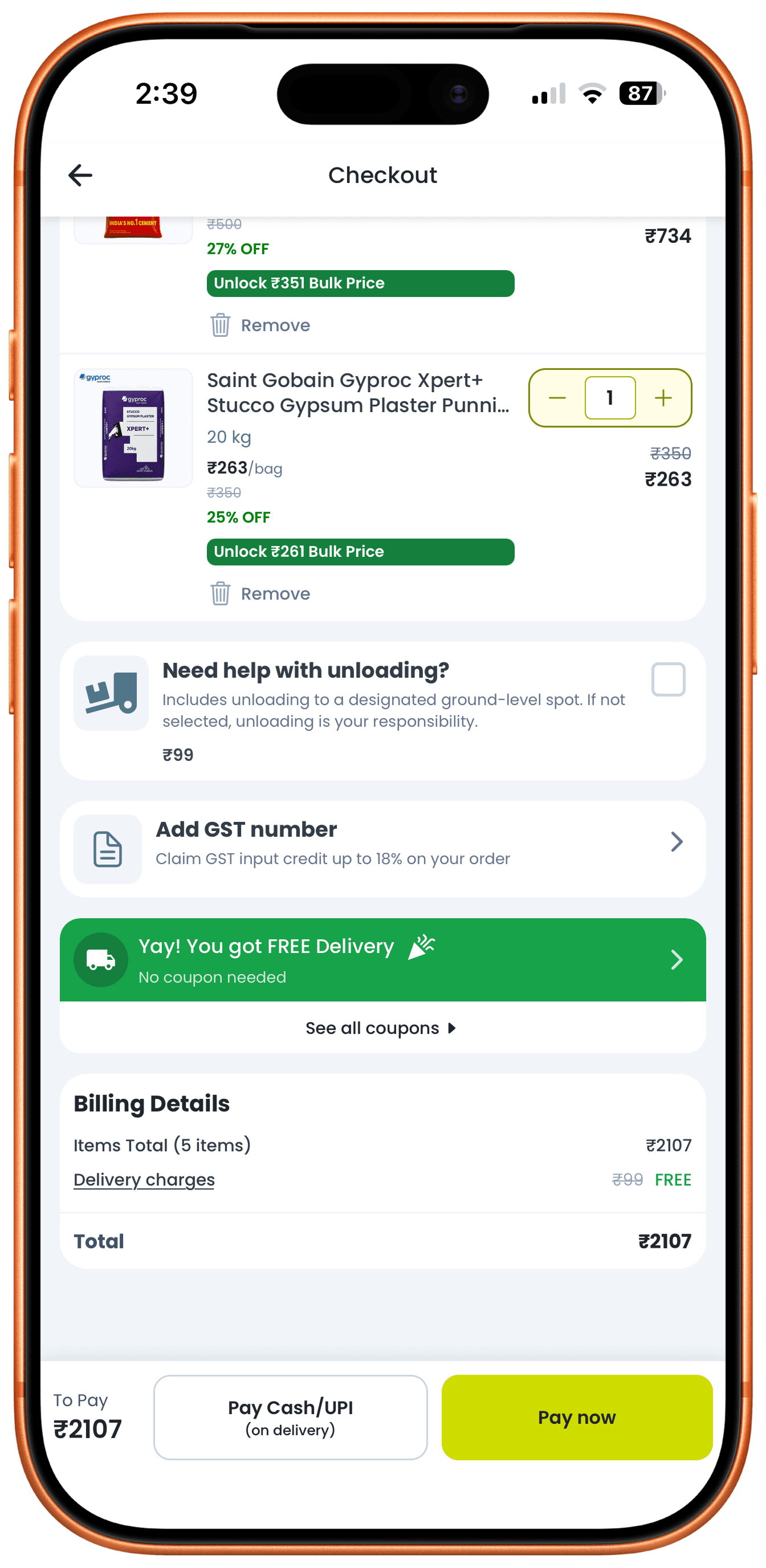
Designed the catalog and checkout for Housie, a building-materials app: a 12-category home grid backed by search, tiered bulk pricing shown on the product page instead of behind a quote request, and a checkout that splits into per-fulfillment-speed shipments instead of one combined order. Ops wanted a single shipment for simpler warehouse routing; I pushed for the split instead, since forcing a same-day cement bag to wait on a slower item was the actual reason carts stalled at checkout.

Housie home screen with search bar, Housie Plus banner, and a 12-tile Shop by Categories grid
Cement and Plaster category listing with a sub-category sidebar and an Unlock Bulk Price banner

Twelve Categories, One Search Bar

Home leads with search and a Housie Plus banner, then a 12-tile category grid - cement, tiling, paint, electricals, plumbing - so a contractor can either type the SKU they already know or browse when they don't; the bulk-price unlock banner reappears inside each category to keep that offer visible while filtering.

UltraTech cement product page showing tiered bulk pricing at 15+ and 30+ bag quantities
Checkout screen split into a 3-hour shipment and a 1-hour shipment, each with its own Schedule action

Bulk Pricing on the Product Page, Not Behind a Quote

Chose to show tiered bulk pricing directly on the product page - Buy 15+ at a lower rate, Buy 30+ lower still - instead of gating it behind a sales quote request, then split checkout into per-fulfillment-speed shipments (some items in 1 hour, others in 3) instead of one combined order. Ops wanted a single shipment for simpler warehouse routing; I pushed for the split instead, since forcing a same-day cement bag to wait on a slower item was the actual reason carts stalled at checkout.

Checkout billing details with a Yay you got FREE Delivery banner and total cost breakdown
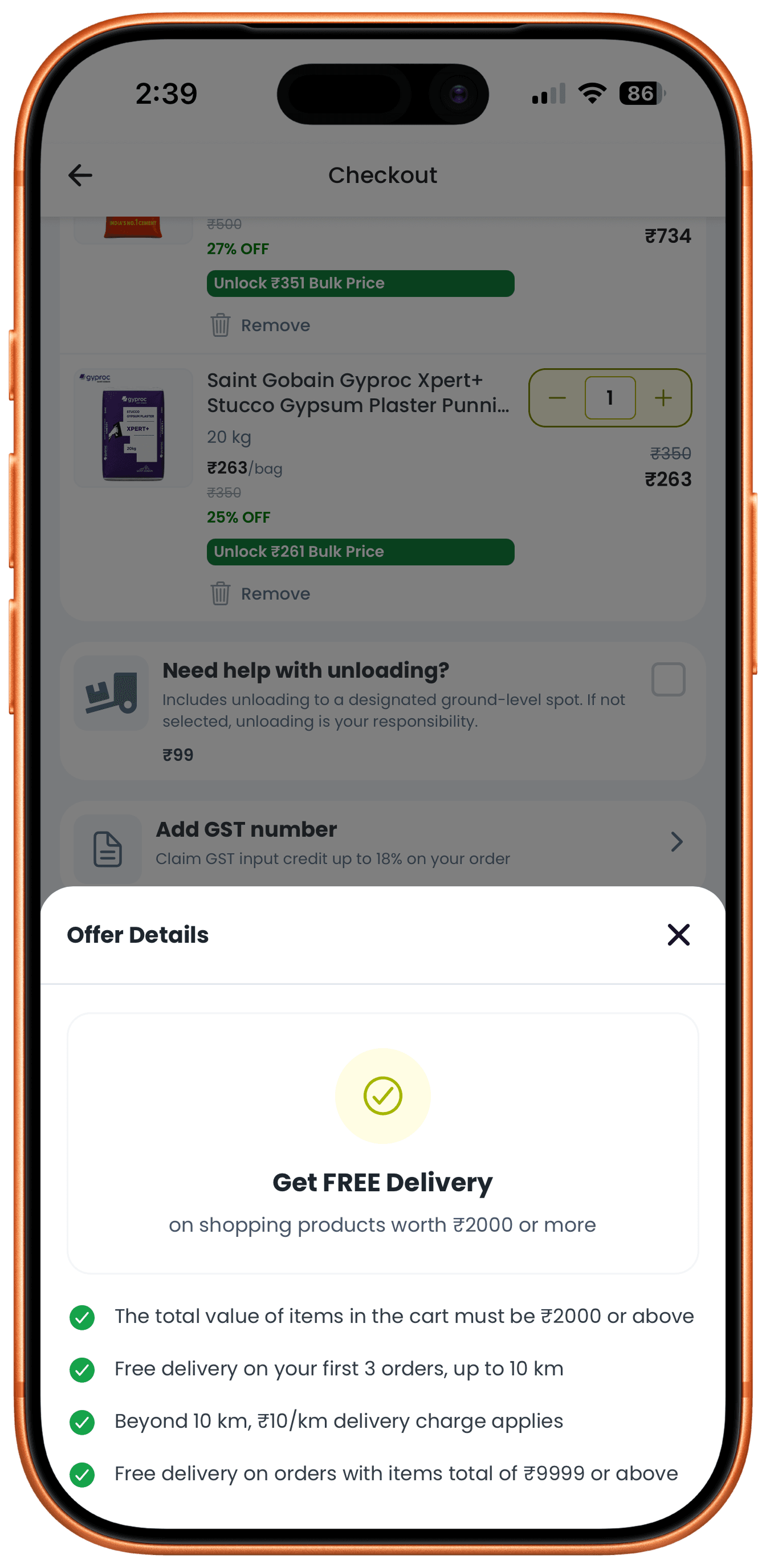
Offer Details sheet listing the exact free-delivery threshold and per-km charge rules

Delivery Cost Rules, Stated Not Implied

The free-delivery threshold isn't just a badge - tapping it opens the exact rule set (₹2,000 minimum, free on the first 3 orders within 10km, ₹10/km beyond that, waived entirely above ₹9,999), so a contractor ordering across two shipments can see why one qualifies and the other doesn't before paying.

Faceted-Filter Triage Engine

Internal tooling, Aug – Nov 2026

Redesigned BuyerAI's internal lead qualification engine around in-memory faceted filtering, self-serve column customization, and persistent saved views across 247 active records, cutting triage latency 76% (3.8min to under 55s) and lifting daily tool adoption from 24% to 98%. Engineering wanted server-side pagination to keep the initial payload light; I pushed for loading all 247 records in-memory instead, since the round trips between pages were the actual 3.8-minute bottleneck, not render time.

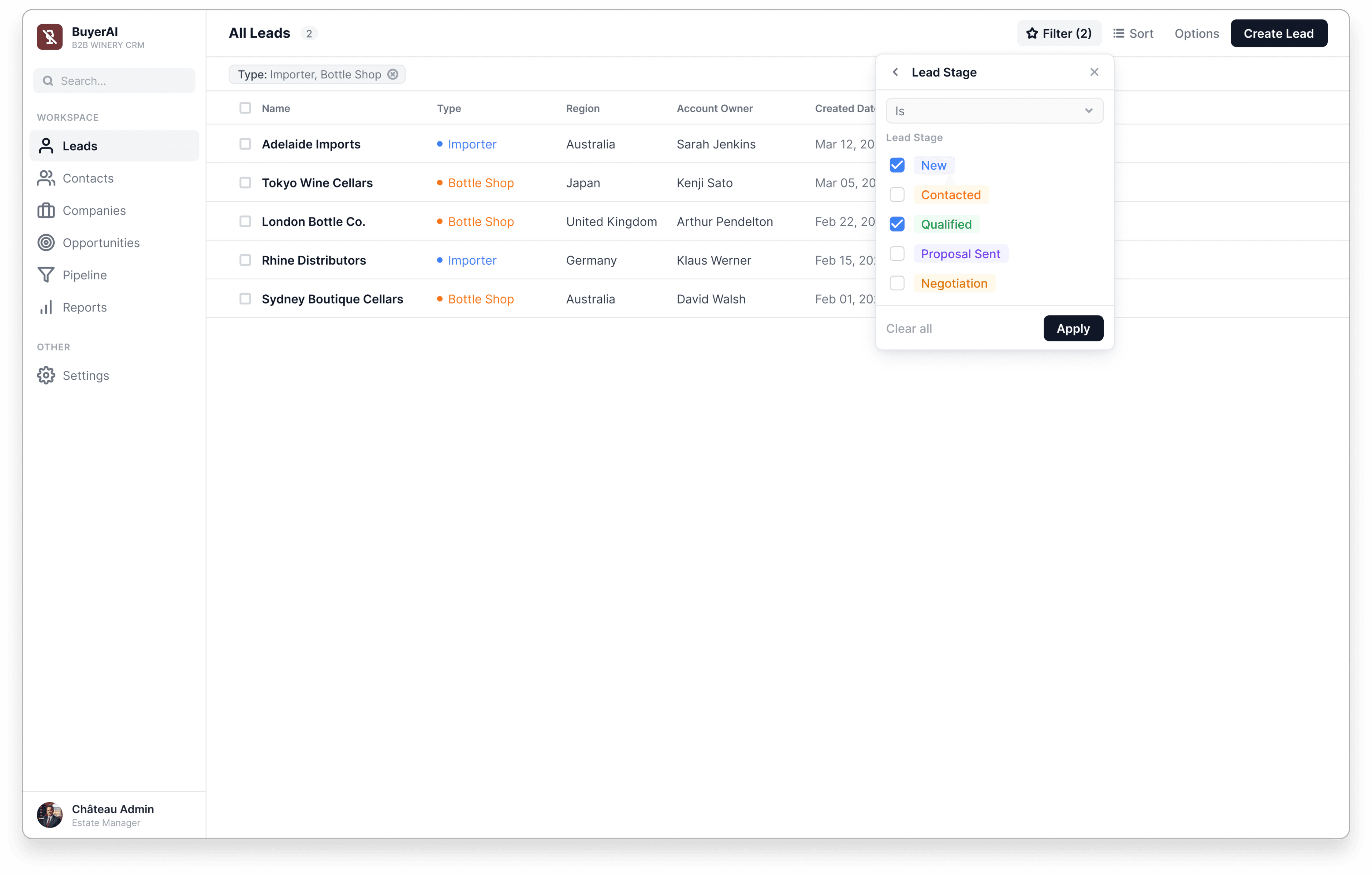
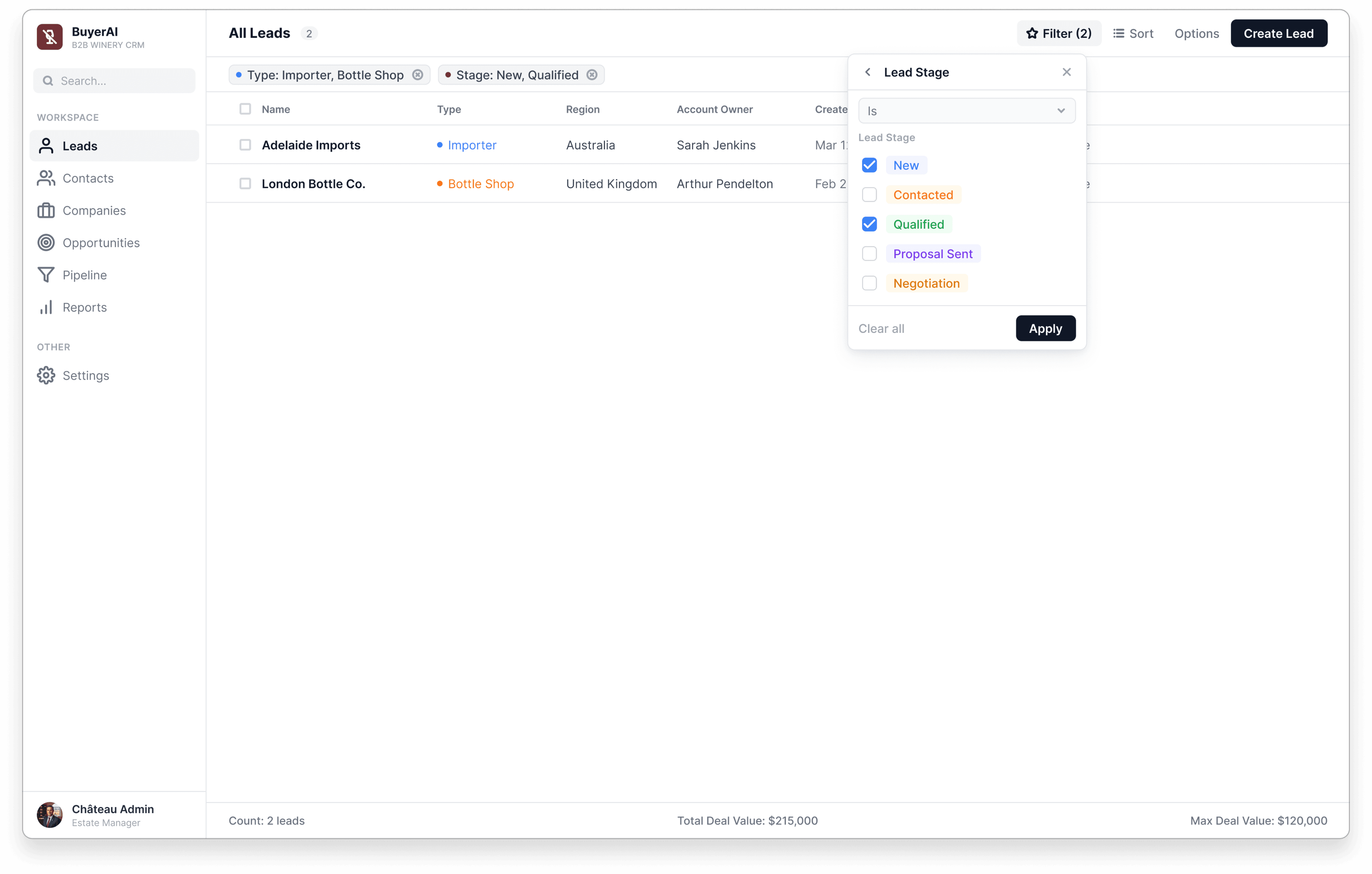
Lead Stage filter panel with New and Qualified checked, over the All Leads table

Faceted Filter Popover

A compact flyout with multi-select Lead Stage checkboxes layers onto an existing Type filter, resolving in under 16ms client-side and replacing a legacy 6-layer modal filter that took 45s to configure.

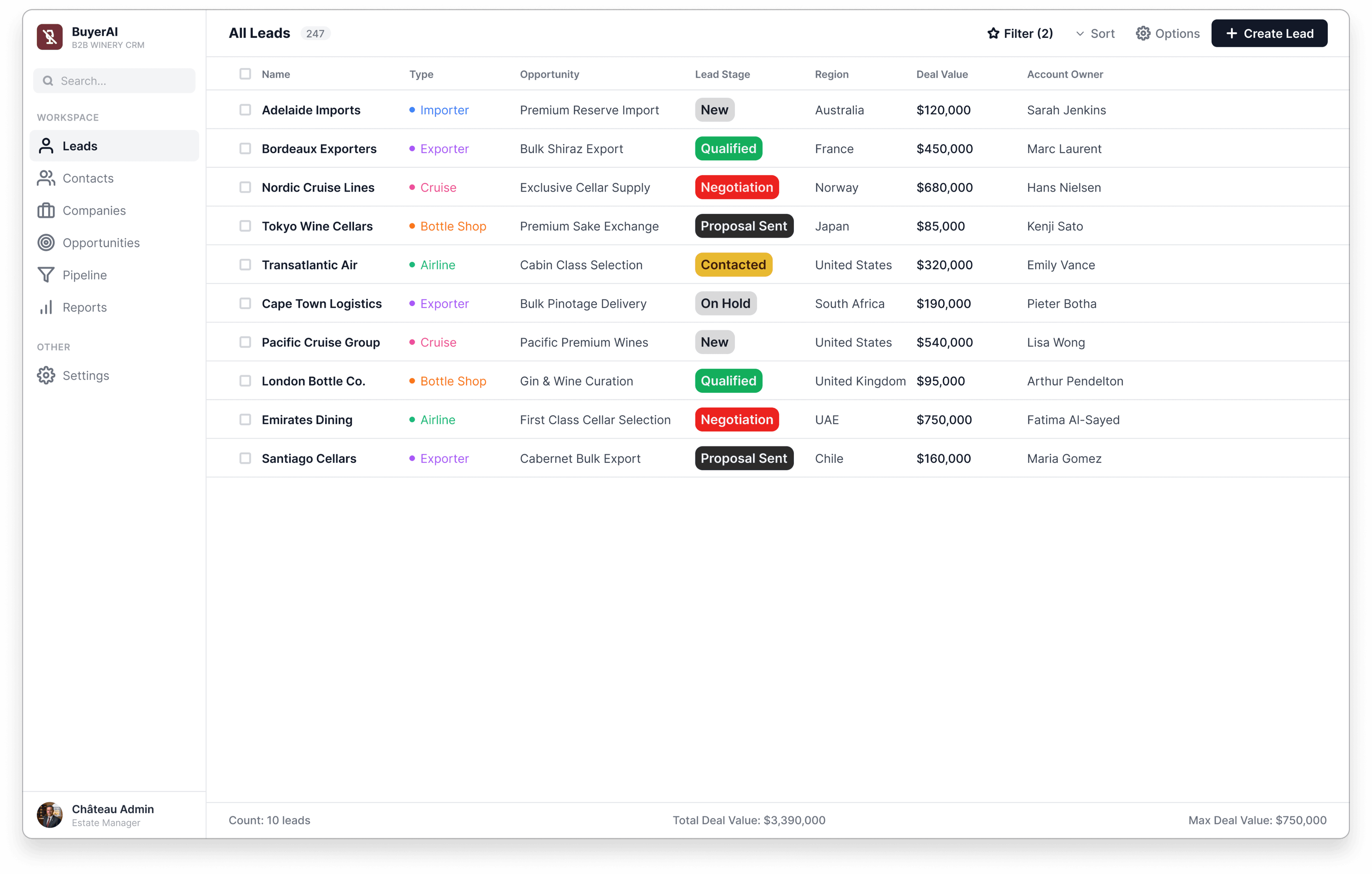
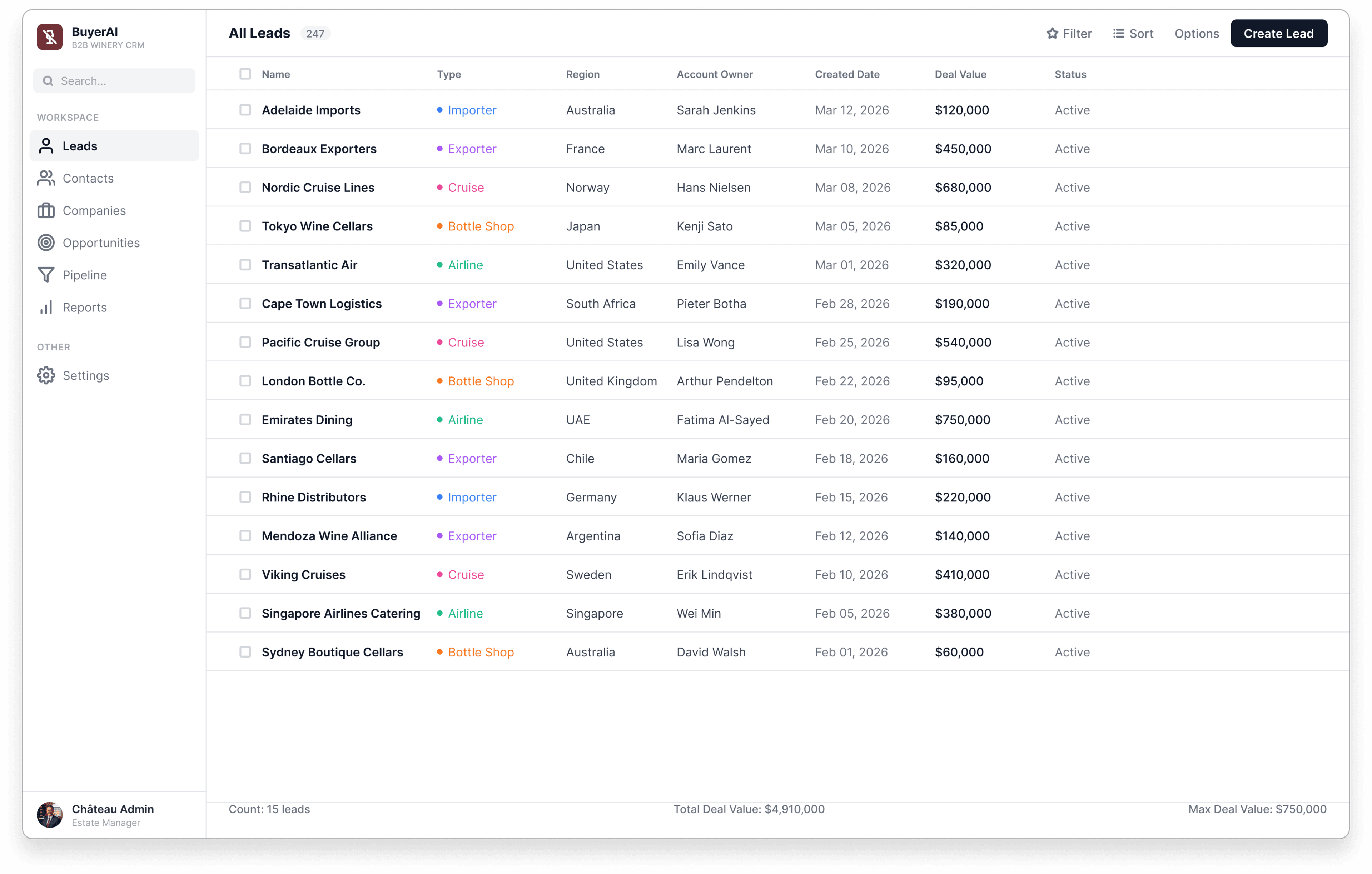
All Leads table with 247 leads showing Type, Opportunity, Lead Stage, Region, Deal Value, and Account Owner columns

Master Lead Database

A virtualized table of 247 active records with instantaneous column sorting and type-coded badges (Importer, Exporter, Cruise, Bottle Shop, Airline), letting ops specialists make binary triage decisions in under 5 seconds per record.

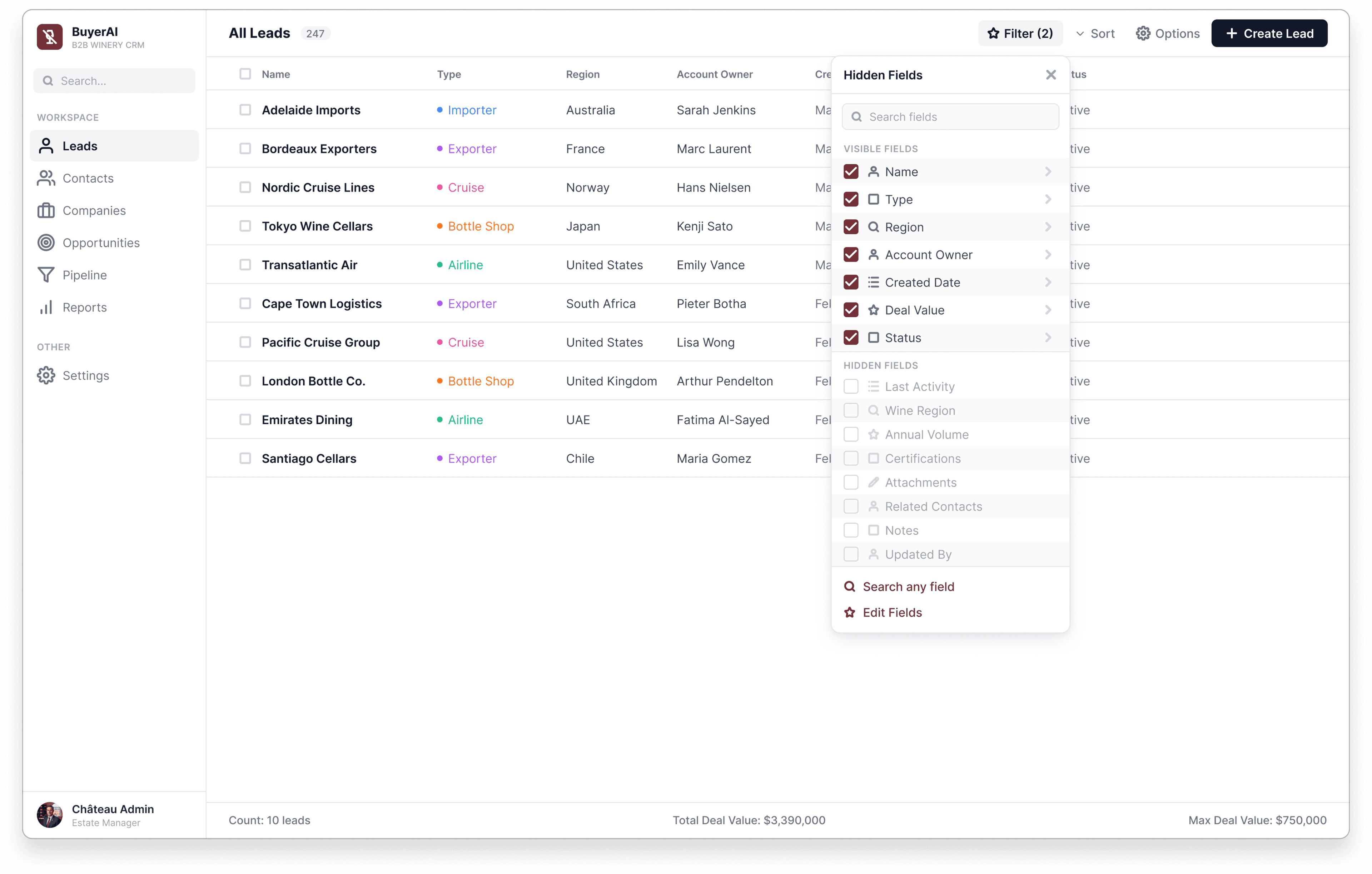
Hidden Fields panel listing visible and hidden table columns

Field Customization

A column visibility manager lets operations directors self-serve domain-specific attributes like Wine Region, Annual Volume, and Certifications, with sub-millisecond keyword matching so new fields never need an engineering ticket.

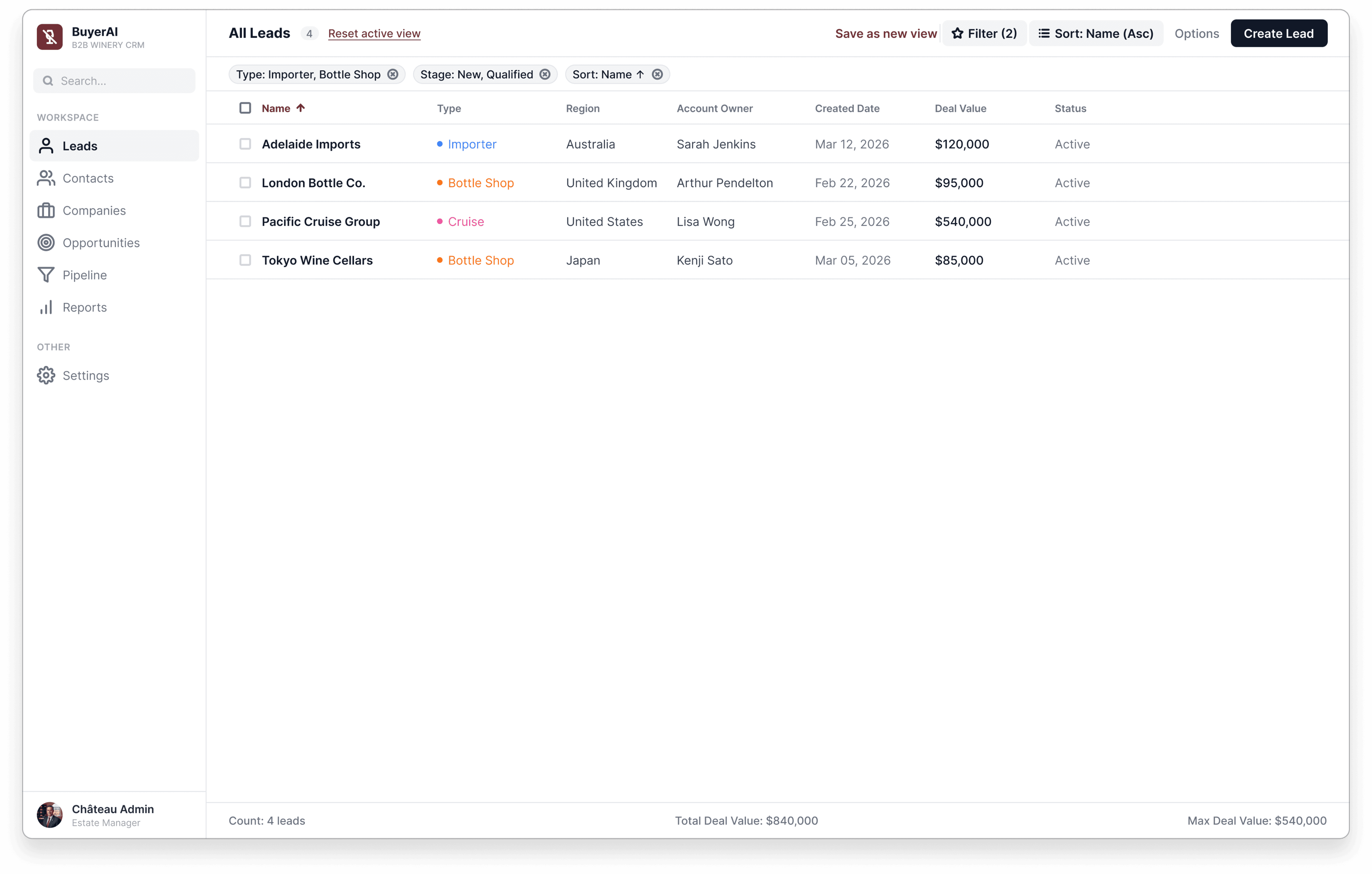
Filtered and sorted view of the leads table with a Save as new view option

Saved View States

Combined filters and sort collapse into a single "Save as new view" action, turning an ad-hoc daily search into a 1-click reusable pipeline segmentation instead of a filter rebuilt from scratch every morning.

Lead Stage filter panel narrowing the leads table to a smaller result set

Live Queue Recalculation

Reopening the same facet popover mid-view recalculates the queue instantly as conditions stack, the same mechanism that narrowed 247 leads down to 18 priority records in the triage study.

Full leads table with an aggregate count and deal-value footer

Operational Impact

Measured across 247 records and 14 ops specialists over 90 days: lead triage latency dropped 76% (3.8min to under 55s), orphaned backlog fell from 18% to 0%, and triage throughput rose 3.4× to match 98% daily tool adoption.

Amount-First Transfer Flow

Freelance, 2025

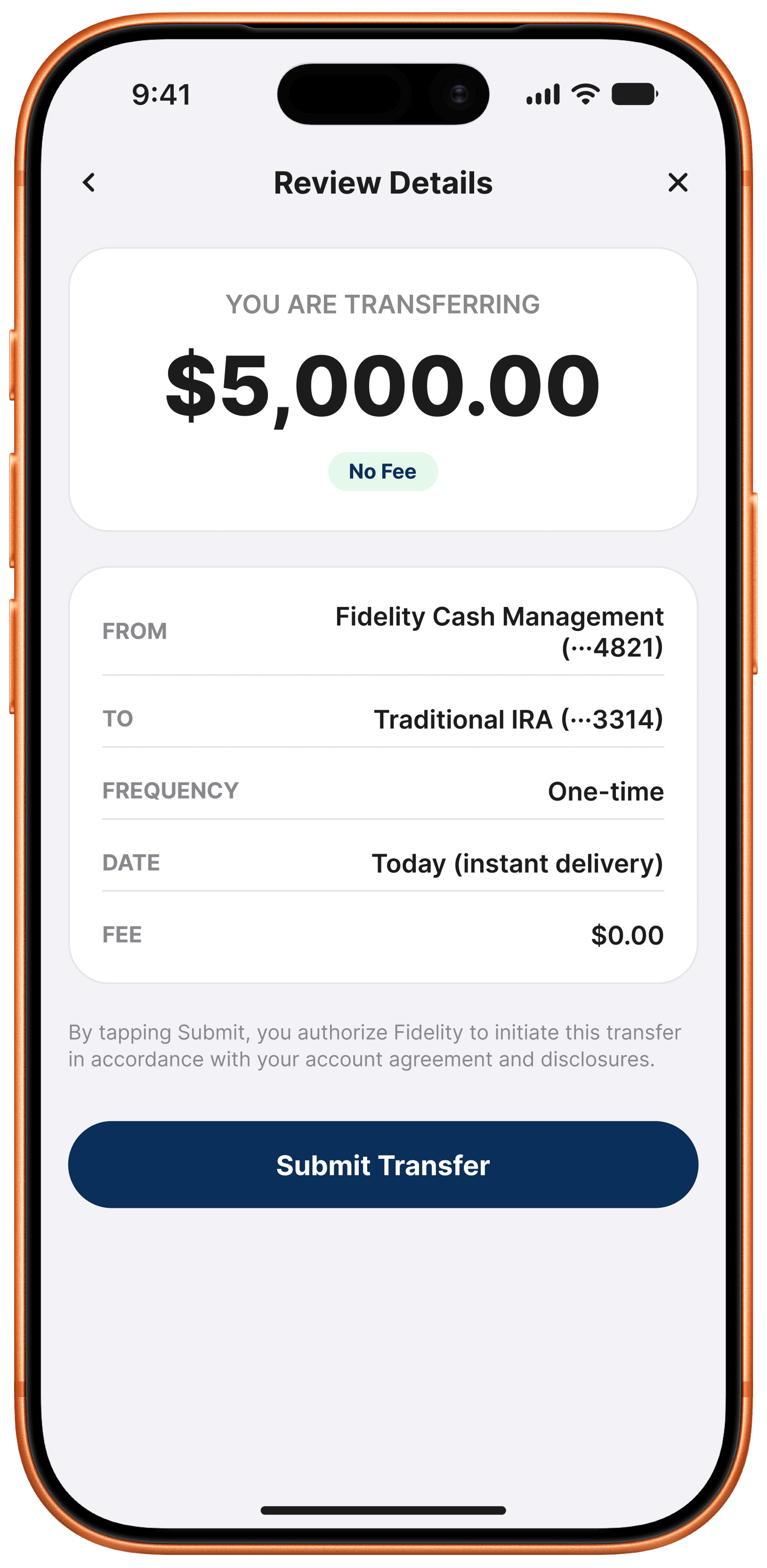
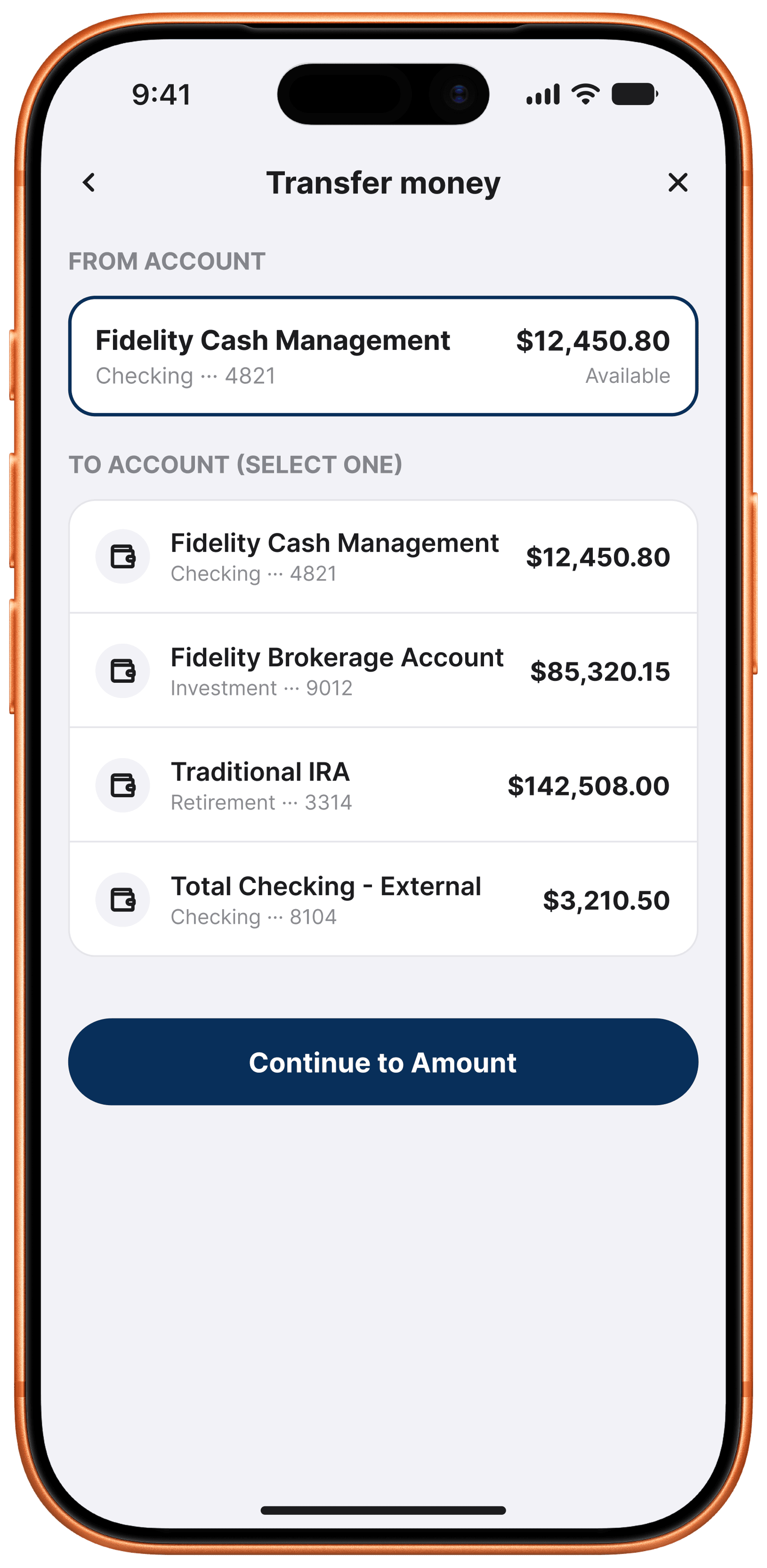
Redesigned a multi-account transfer flow around an amount-first keypad, live vault liquidity checks, and a slide-to-confirm gesture, cutting transaction time from 42s to 12s and accidental misroutes from 2.4% to 0%. Compliance wanted the traditional 5-screen wizard since it matched how examiners expect a bank transfer to look; I pushed for amount-first after testing showed the wizard's 38% abandonment, not its extra steps, was what compliance should've been worried about. NDA covered.

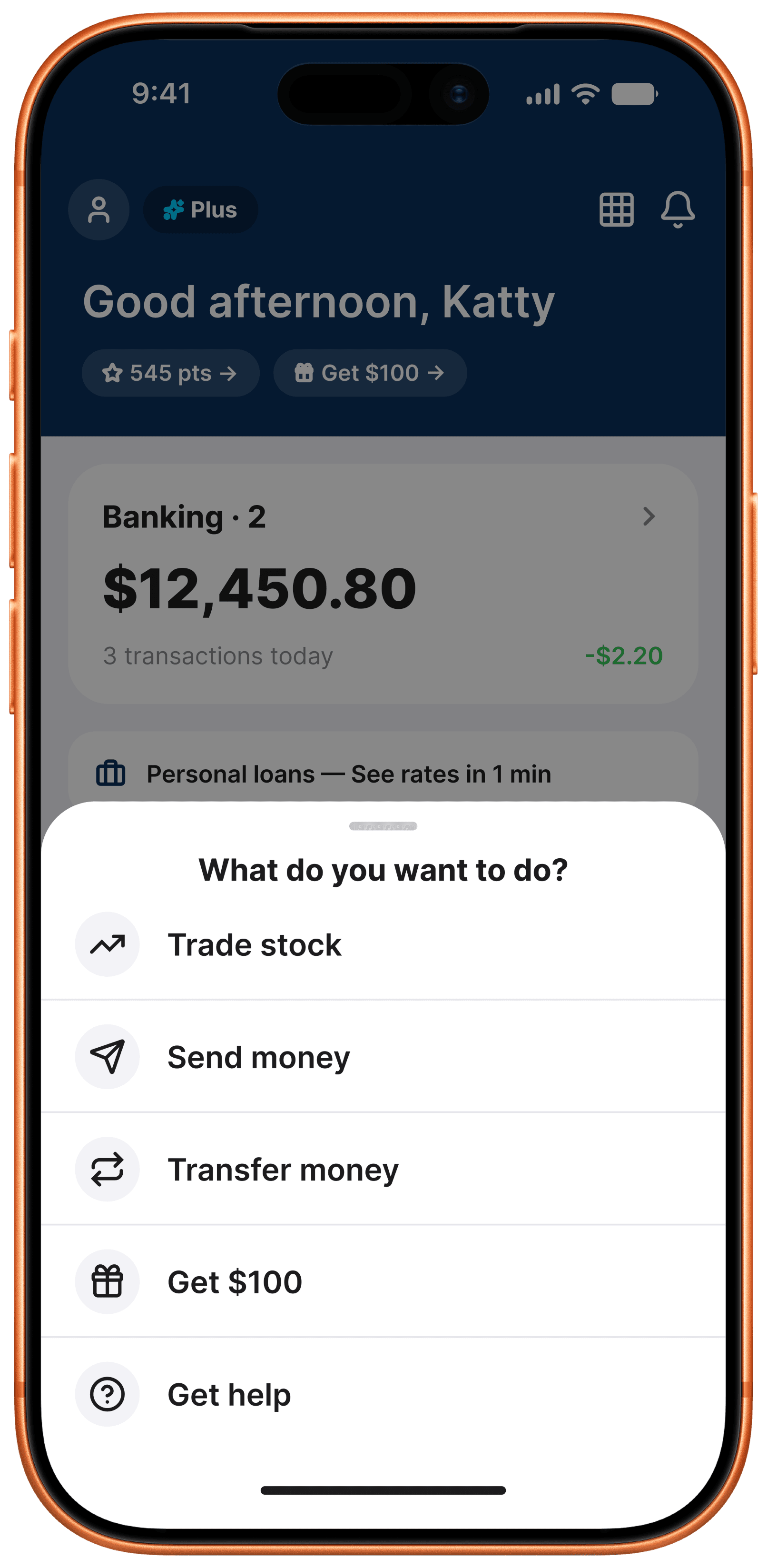
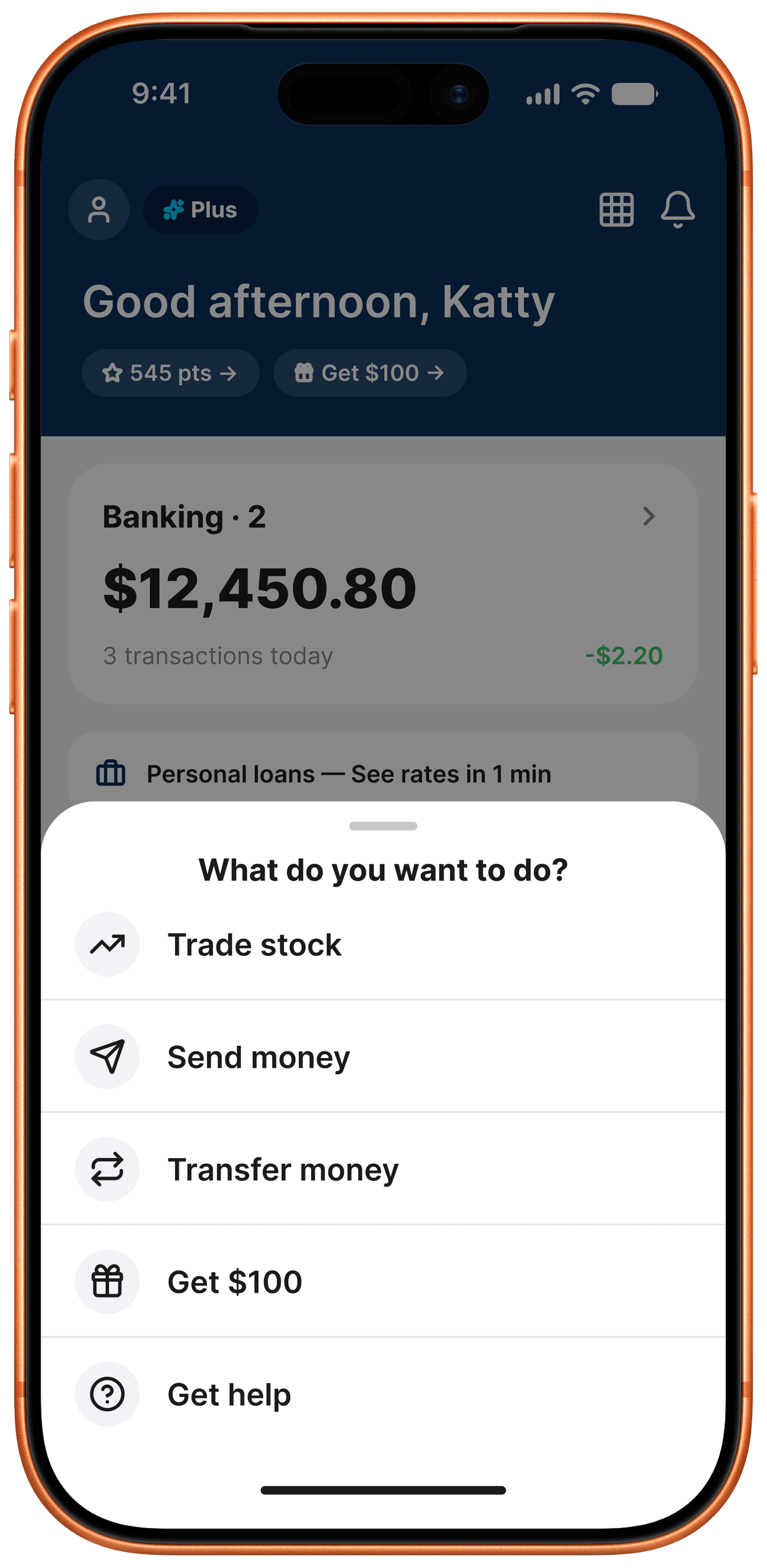
WorkOS dashboard home screen with account balance and quick actions
WorkOS transfer money screen

Account Hub & Quick Actions

Eliminated nested hamburger sub-menus in favor of a 1-tap modal action sheet, unifying account balances and quick transfers into a single home screen.

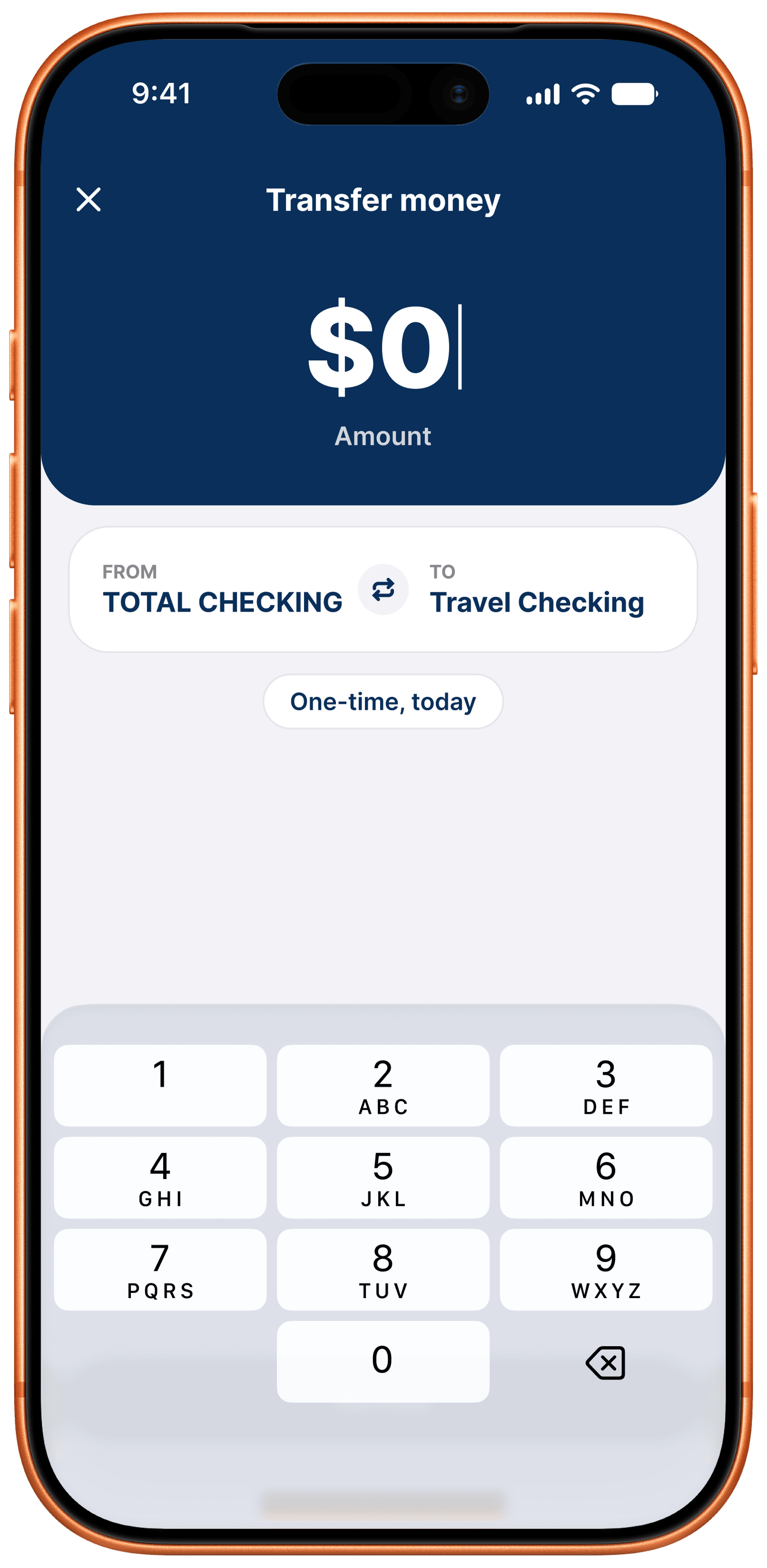
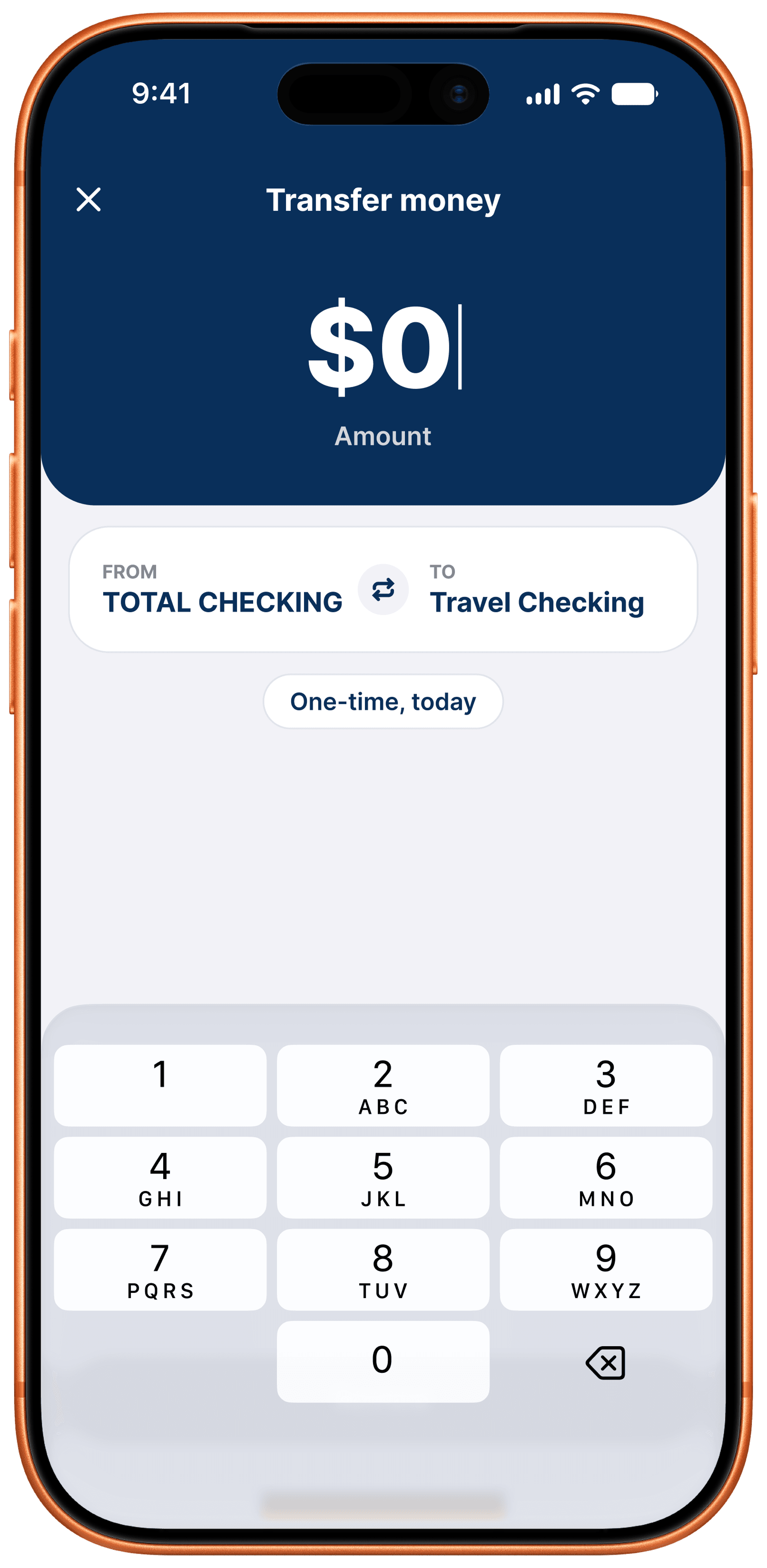
WorkOS Radar transfer screen showing a zero-dollar amount
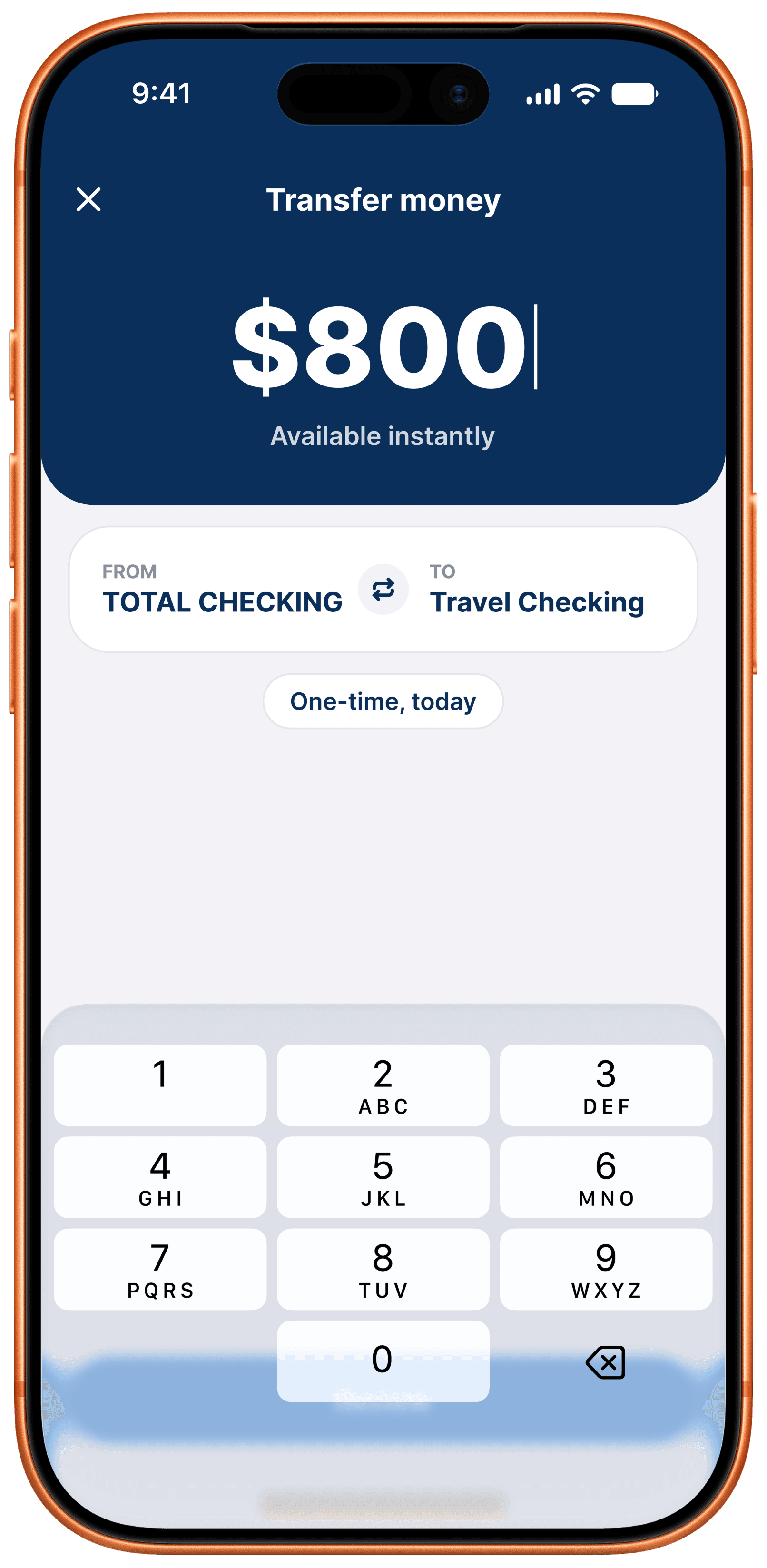
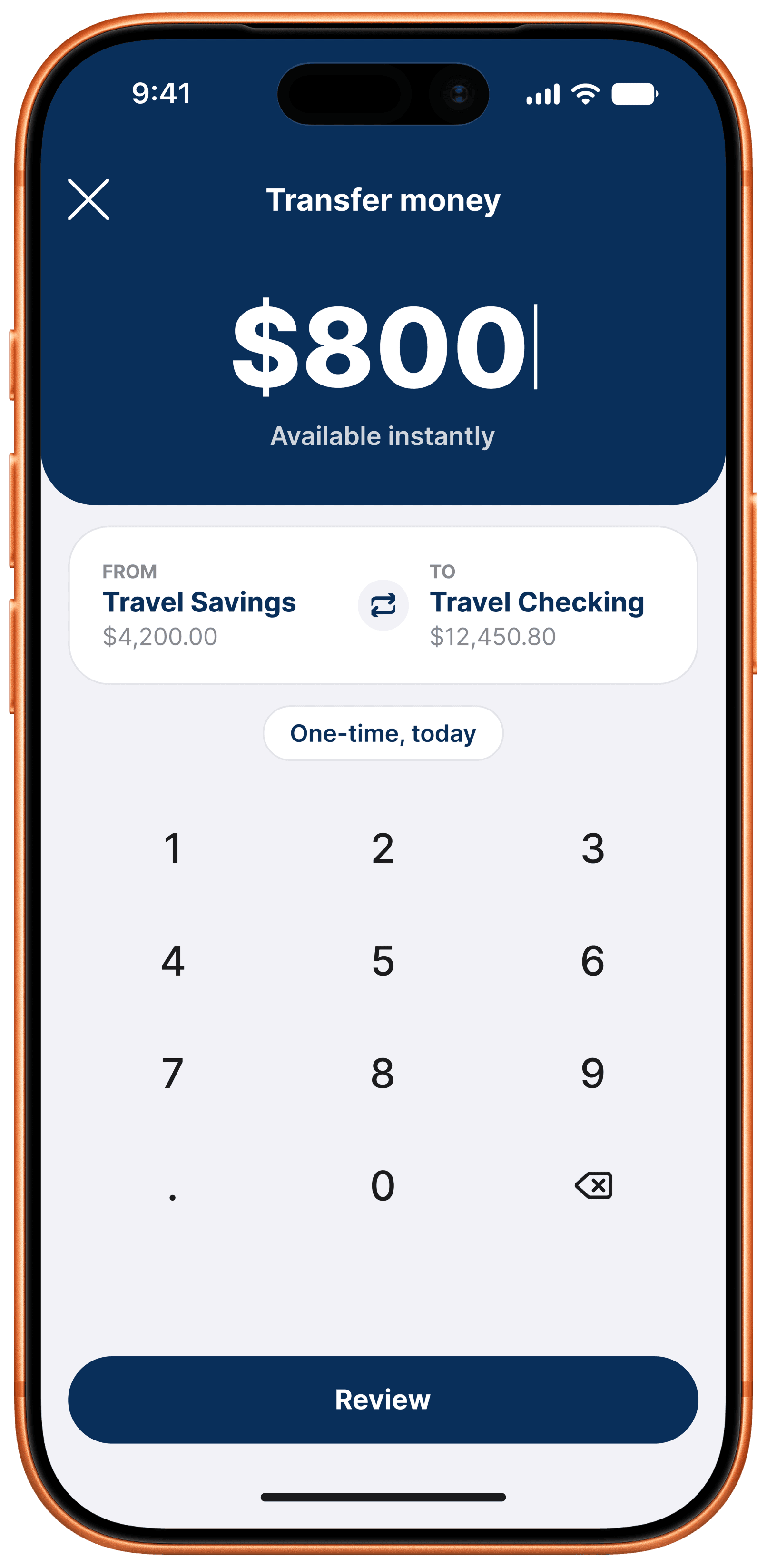
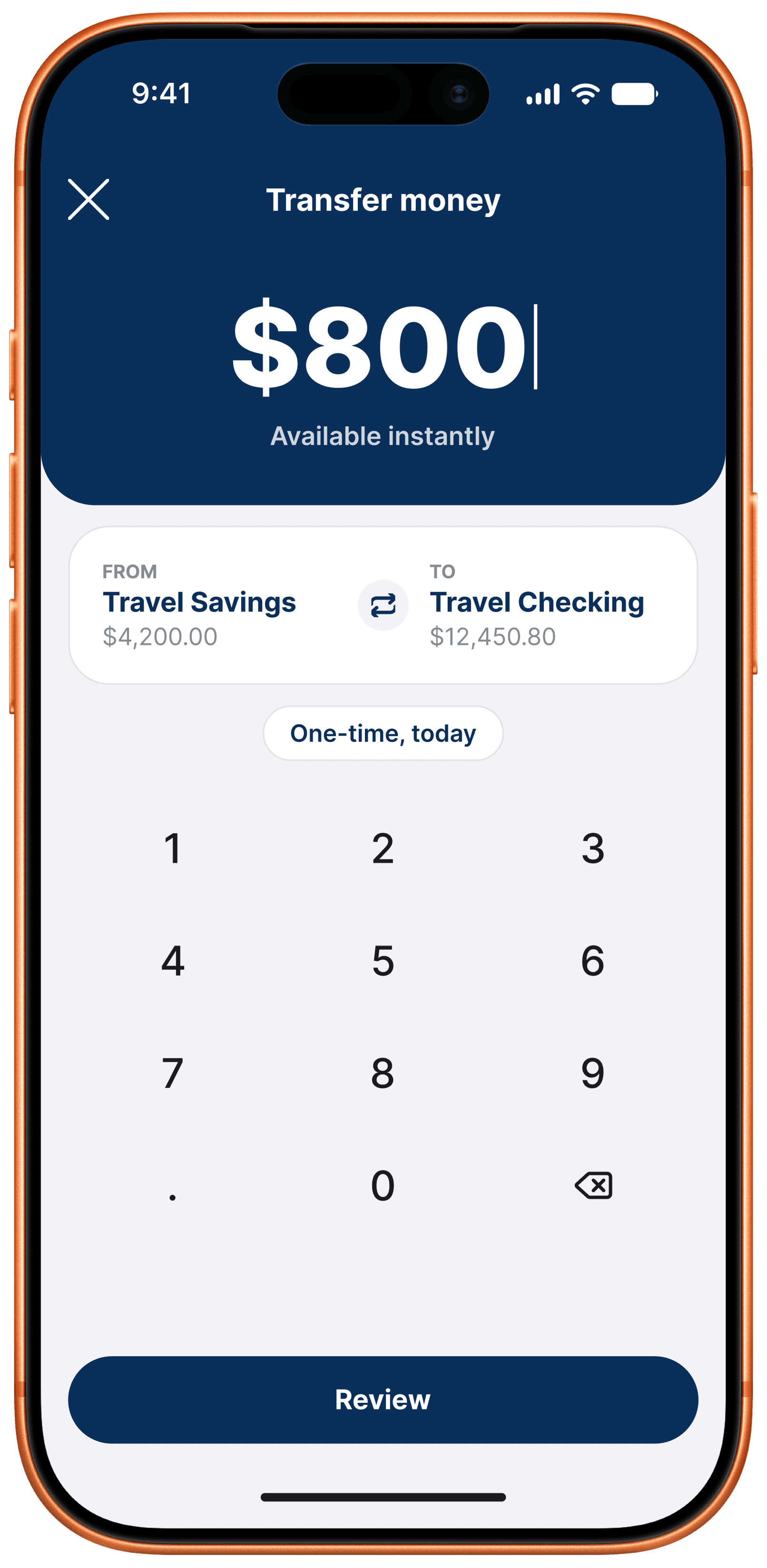
WorkOS Radar transfer screen showing an $800 instant transfer

Amount-First Keypad

Split the transfer flow into instant numeric entry, real-time balance checks, and responsive account pairing, cutting transaction time from 42s to 12s.

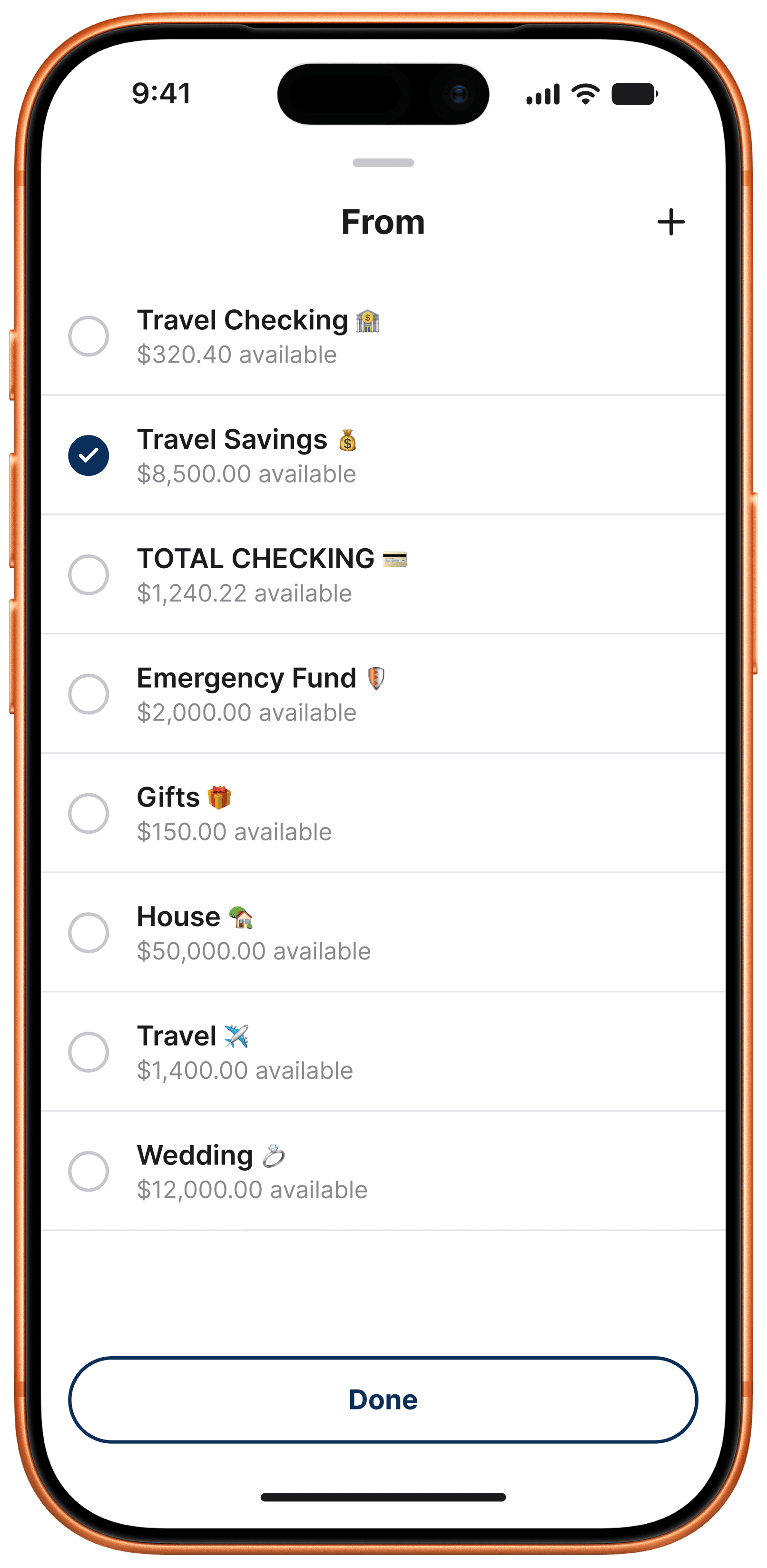
Account picker screen with Travel Savings selected
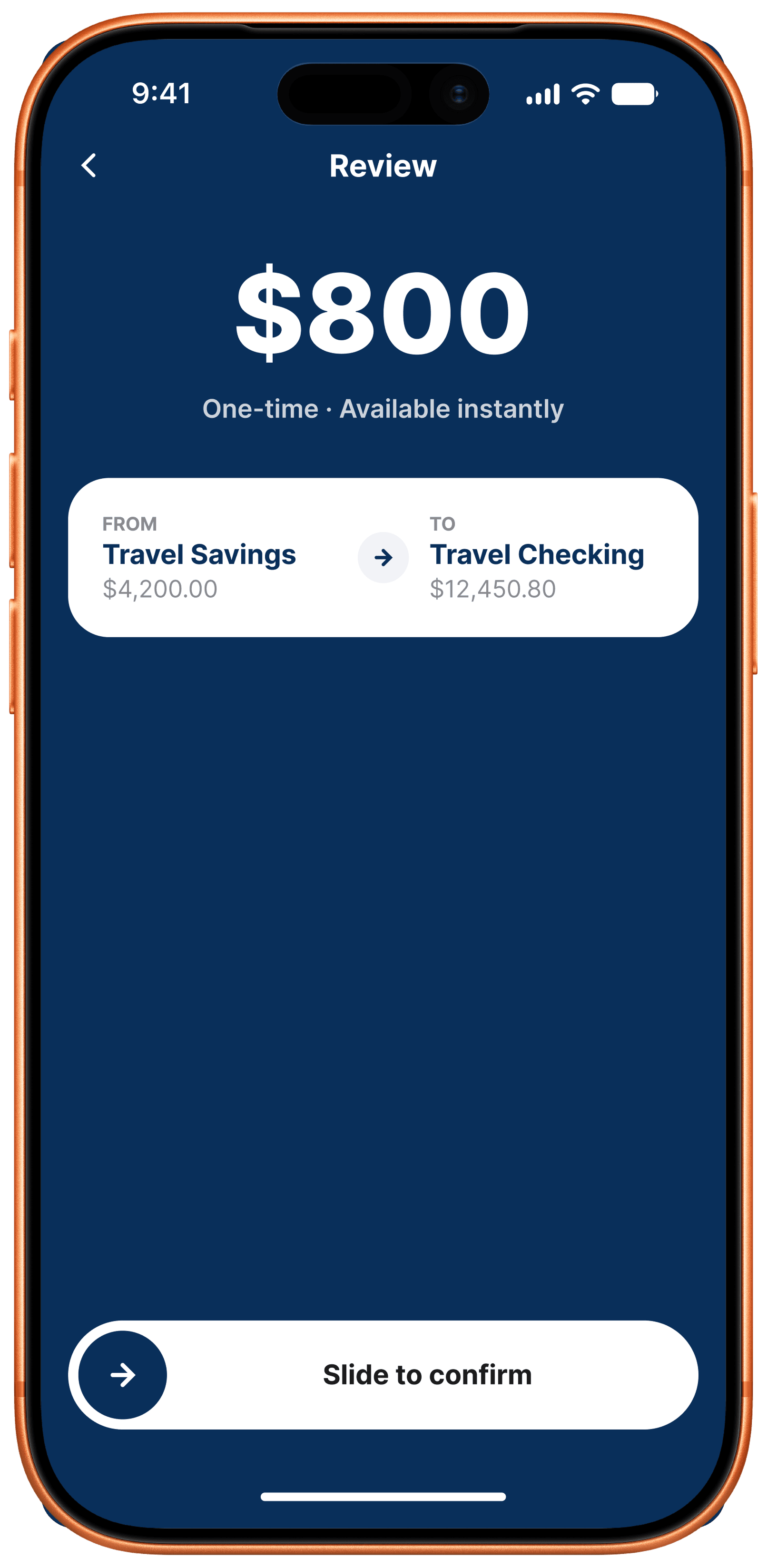
Transfer review screen showing an $800 transfer from Travel Savings to Travel Checking

Liquidity Drawer

A half-sheet drawer surfaces every checking, savings, and custom vault balance with live liquidity checks, disabling accounts with insufficient funds before routing.

Transfer review screen showing an $800 transfer from Travel Savings to Travel Checking
Transfer confirmation screen with a slide-to-confirm control
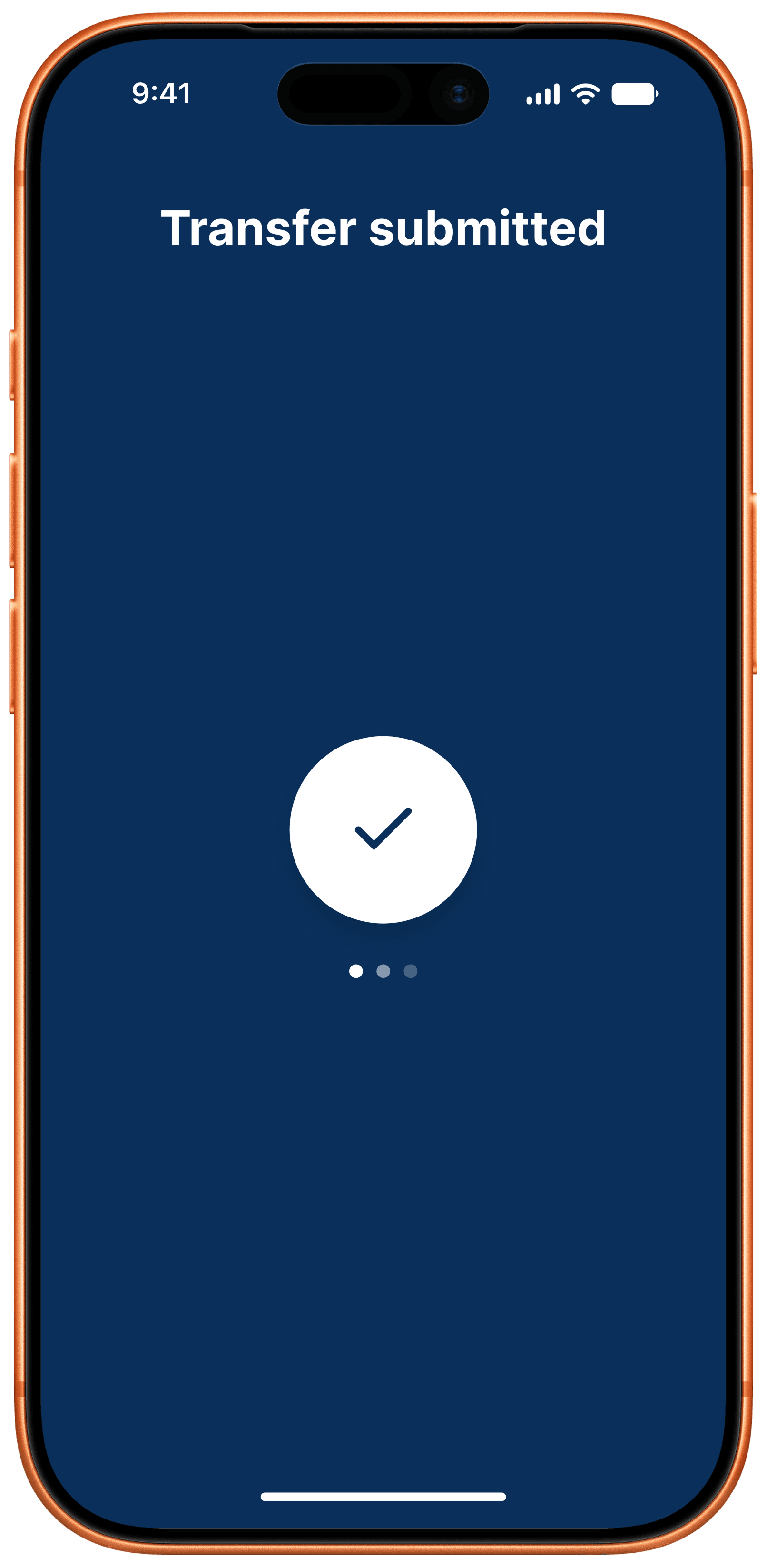
Transfer submitted success screen

Slide-to-Confirm

Replaced static confirm buttons with a continuous slide gesture, taking accidental double-tap misroutes from 2.4% down to 0.00%.

5-Step Wizard (Considered)

Explored, not shipped

Before landing on the amount-first flow, I explored a traditional multi-screen wizard: origin selection → destination selection → amount → review. It matched the legacy banking mental model, but testing showed a 42s average completion time and 38% funnel abandonment across 5 screens, so I killed it in favor of the amount-first, slide-to-confirm flow that shipped.

Traditional wizard home screen with account list

Step 1: Origin Selection

A flat account list to pick a source account from, with no amount context yet, before anything else can happen.

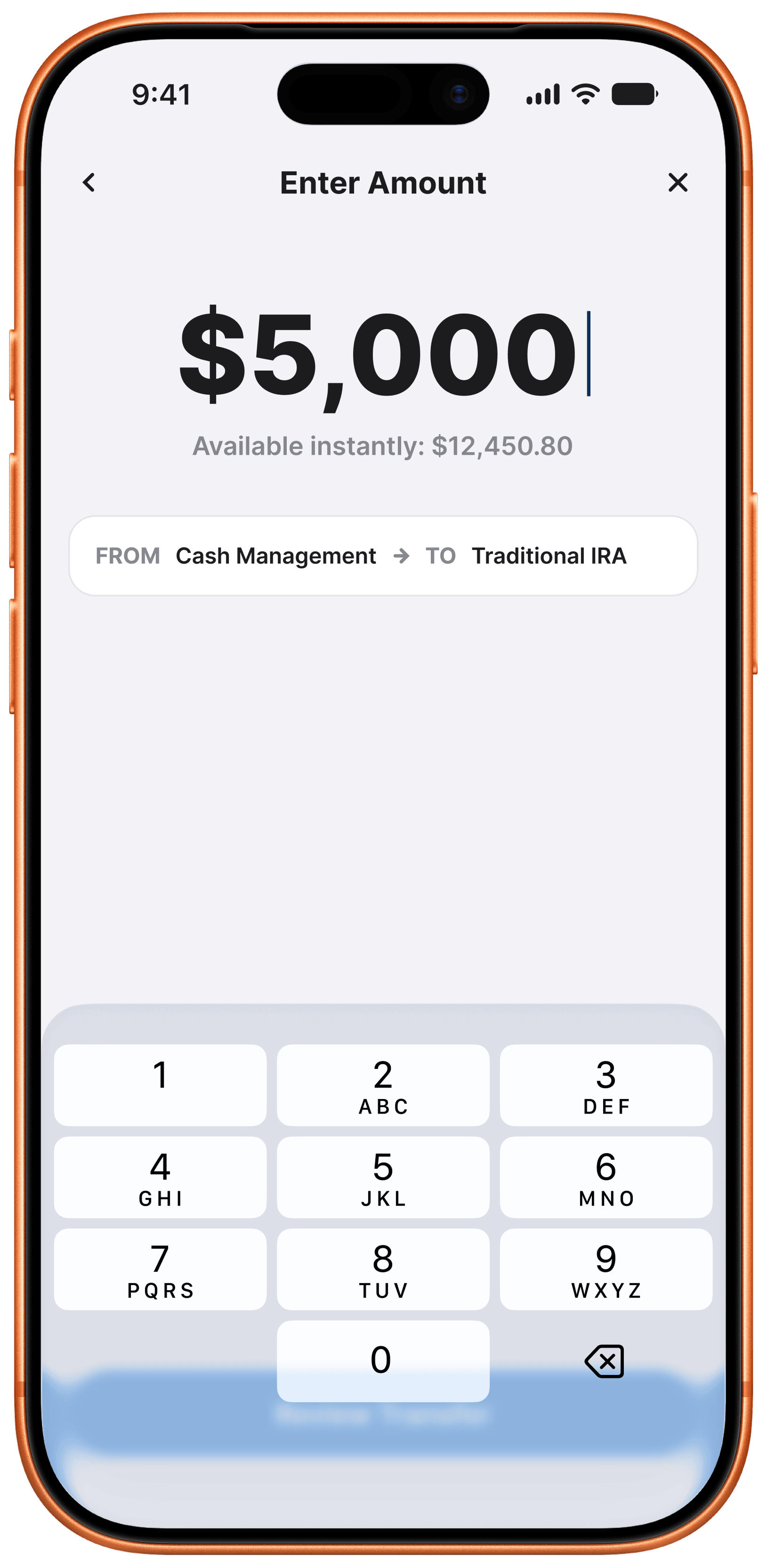
Traditional wizard amount entry screen showing a zero-dollar amount
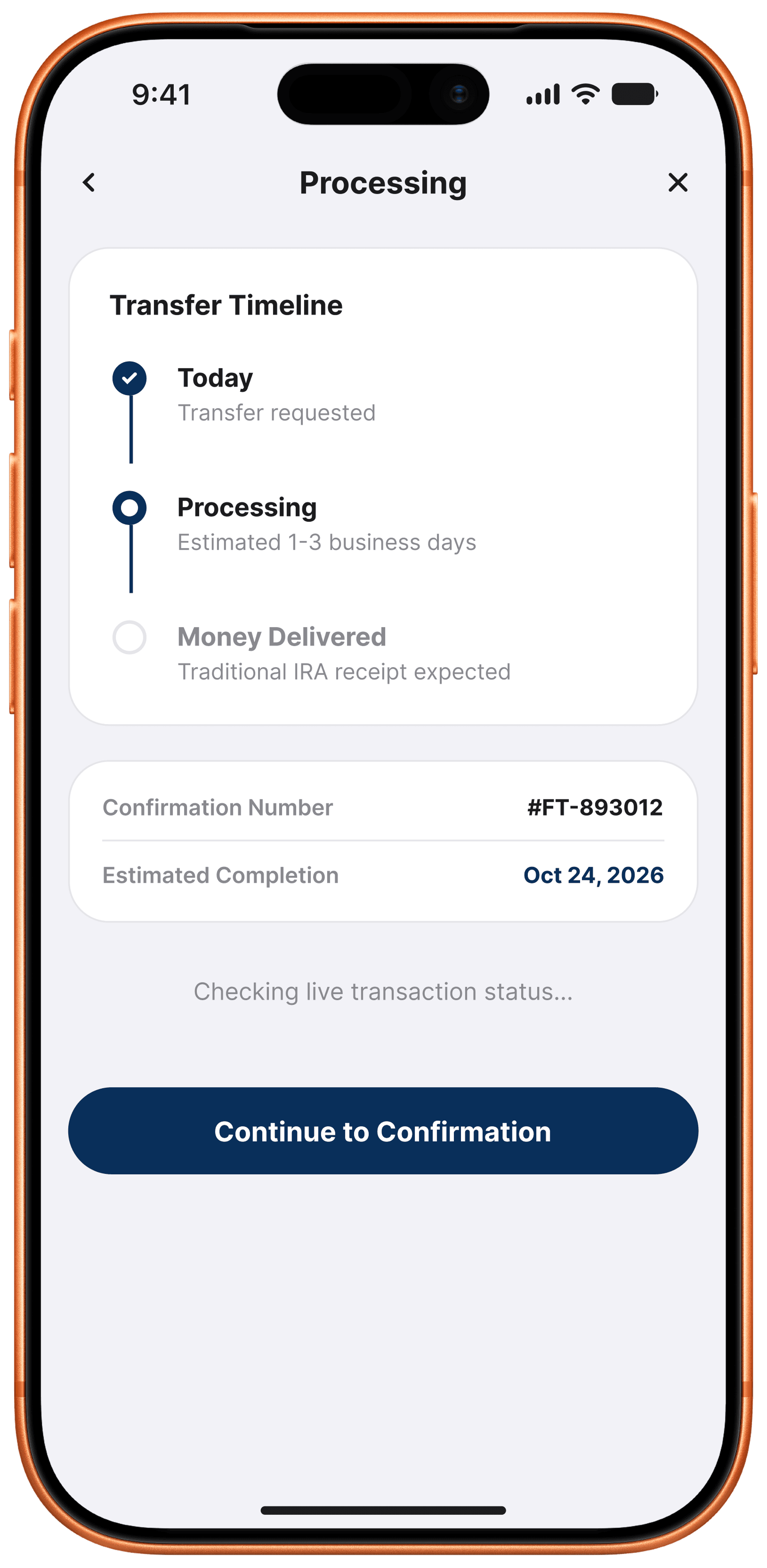
Traditional wizard processing screen after amount entry

Steps 2–3: Destination & Amount

Two more screens: choose a destination account, then a separate keypad to enter the amount, before the user's intent is even captured.

Traditional wizard review screen before submission
Traditional wizard transfer confirmation screen

Steps 4–5: Review & Confirm

A static review screen followed by a tap-only submit button. This 5-screen chain averaged 42s to complete with 38% abandonment, so it was killed in favor of the amount-first flow.

👋

Reach out and say hi. Always happy to talk about music, frontend craft, or scroll animation.